Prompt Library

AI Prompt Library

Curated image, video and web design prompts from creators around the world. Copy any prompt, swap the subject or style, and generate with the latest models.

4,387 prompts · Updated daily · 100% free

275 prompts

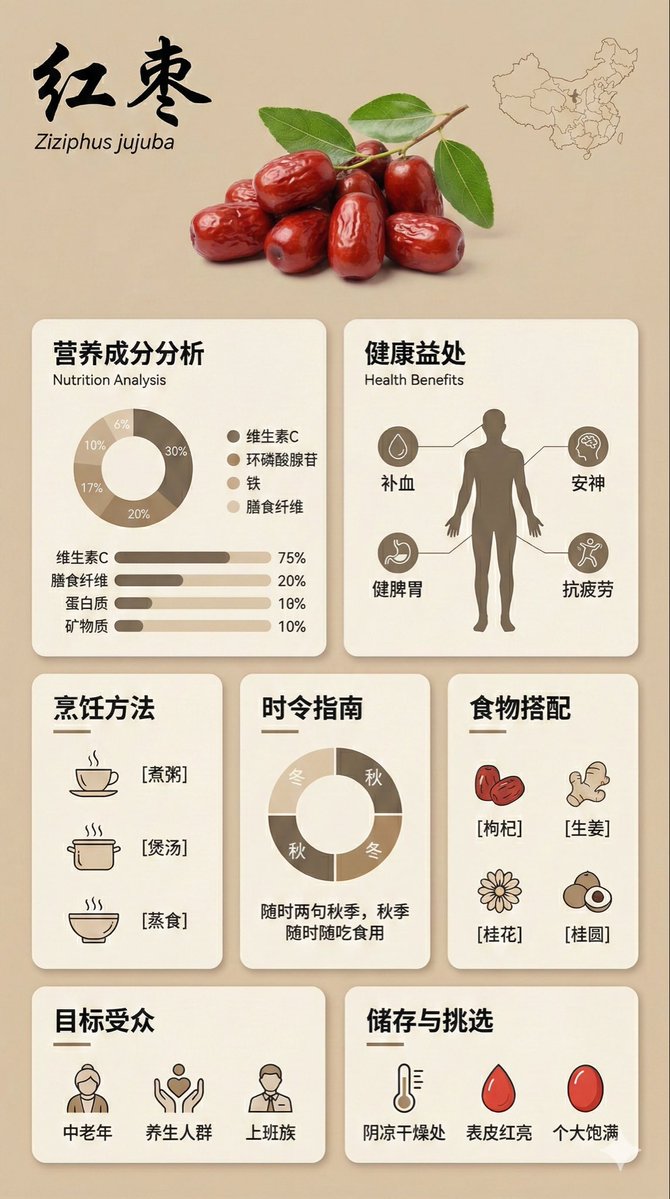
Bento Grid Infographic Prompt for Food Science

Bento Grid Infographic Prompt for Food Science

{ "image_analysis": { "subject": "Infographic about {argument name="ingredient name" default="Goji Berry"}, 9:16", "style": "Modular Bento Grid Design / Minimalist UI Design", "tone": "Professional, warm, high-end, educational", "primary_colors": ["Beige", "Cream", "Dark Brown", "Warm Earth Tones"] }, "prompt_elements": { "subject_description": "A high-quality educational infographic poster about {argument name="ingredient name" default="Goji Berry"}.", "layout": "Bento box style modular grid layout, clean UI/UX interface design, divided into clear rectangular cards.", "visual_details": [ "Top header with a striking, elegant Chinese calligraphy title 'Ingredient Chinese Name' and its scientific name", "Center top features a hyper-realistic photographic image of [visual description of fresh ingredient]", "A small outline map of [origin/country] in the corner", "Section 1: Nutritional analysis with donut charts and bar charts, percentages indicating proportions", "Section 2: Human silhouette diagram showing health benefits with connecting lines", "Section 3: Cooking method matrix with minimalist line icons ([Cooking Method 1], [Cooking Method 2], [Cooking Method 3])", "Section 4: Seasonal consumption guide with circular charts", "Section 5: Food pairing grid with simple icons ([Pairing 1], [Pairing 2], [Pairing 3])", "Section 6: Target audience profile icon", "Section 7: Storage and selection guide with temperature and weather icons" ], "art_style": "Minimalist graphic design, soft vector illustrations combined with product photography, flat design icons, clean typography.", "lighting": "Soft diffused studio lighting, shadowless and flat lay aesthetic.", "color_palette": "Monochromatic warm beige background, off-white cards, dark brown and charcoal grey text, soft accents." "negative_prompt": "Cluttered, neon colors, messy layout, low resolution, blurry, distorted text, 3D rendering, dark background, chaos, oversaturated, watermark" }

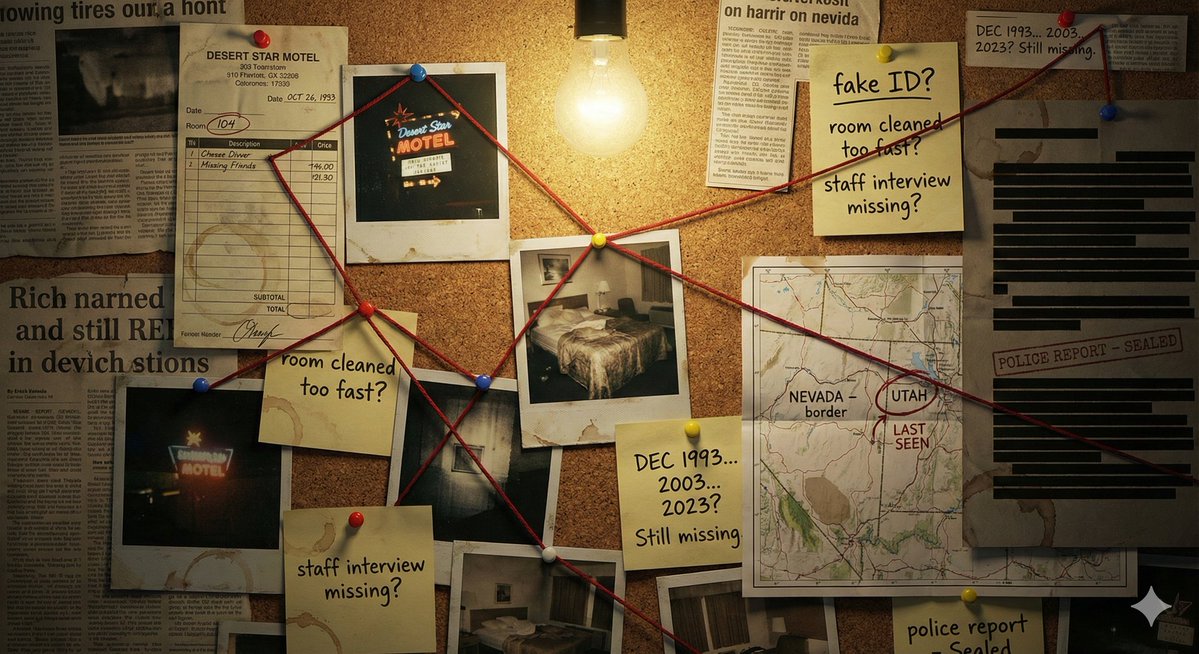
Detective Evidence Board Generation

Detective Evidence Board Generation

"A detective's evidence board investigating \\{argument name="subject/mystery" default="[SUBJECT/MYSTERY]"}\\\. Cork surface covered with pinned items: polaroid photographs with handwritten dates, a street map with circled locations, newspaper clippings with highlighted passages, sticky notes with theories and question marks, and printed documents with redacted black bars. Red string connects related evidence across the board, creating a web of connections. Thumbtacks in primary colors. A single bare bulb casts dramatic shadows. Coffee ring stains on some papers. The atmosphere is obsessive, late-night, noir—someone has been piecing this together for months. A few pins have fallen, suggesting frantic recent activity."

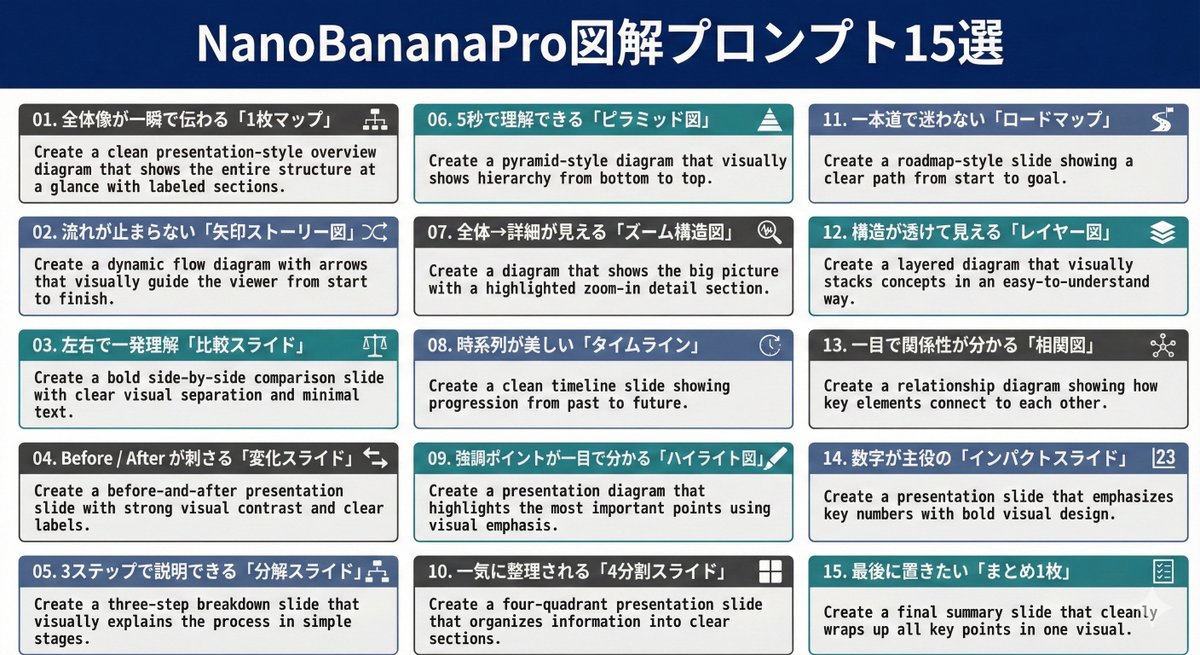
Nano Banana Pro Diagram Generation Prompts (15 Templates)

Nano Banana Pro Diagram Generation Prompts (15 Templates)

01. Create a clean presentation-style overview diagram that shows the entire structure at a glance with labeled sections. 02. Create a dynamic flow diagram with arrows that visually guide the viewer from start to finish. 03. Create a bold side-by-side comparison slide with clear visual separation and minimal text. 04. Create a before-and-after presentation slide with strong visual contrast and clear labels. 05. Create a three-step breakdown slide that visually explains the process in simple stages. 06. Create a pyramid-style diagram that visually shows hierarchy from bottom to top. 07. Create a diagram that shows the big picture with a highlighted zoom-in detail section. 08. Create a clean timeline slide showing progression from past to future. 09. Create a presentation diagram that highlights the most important points using visual emphasis. 10. Create a four-quadrant presentation slide that organizes information into clear sections. 11. Create a roadmap-style slide showing a clear path from start to goal. 12. Create a layered diagram that visually stacks concepts in an easy-to-understand way. 13. Create a relationship diagram showing how key elements connect to each other. 14. Create a presentation slide that emphasizes key numbers with bold visual design. 15. Create a final summary slide that cleanly wraps up all key points in one visual.

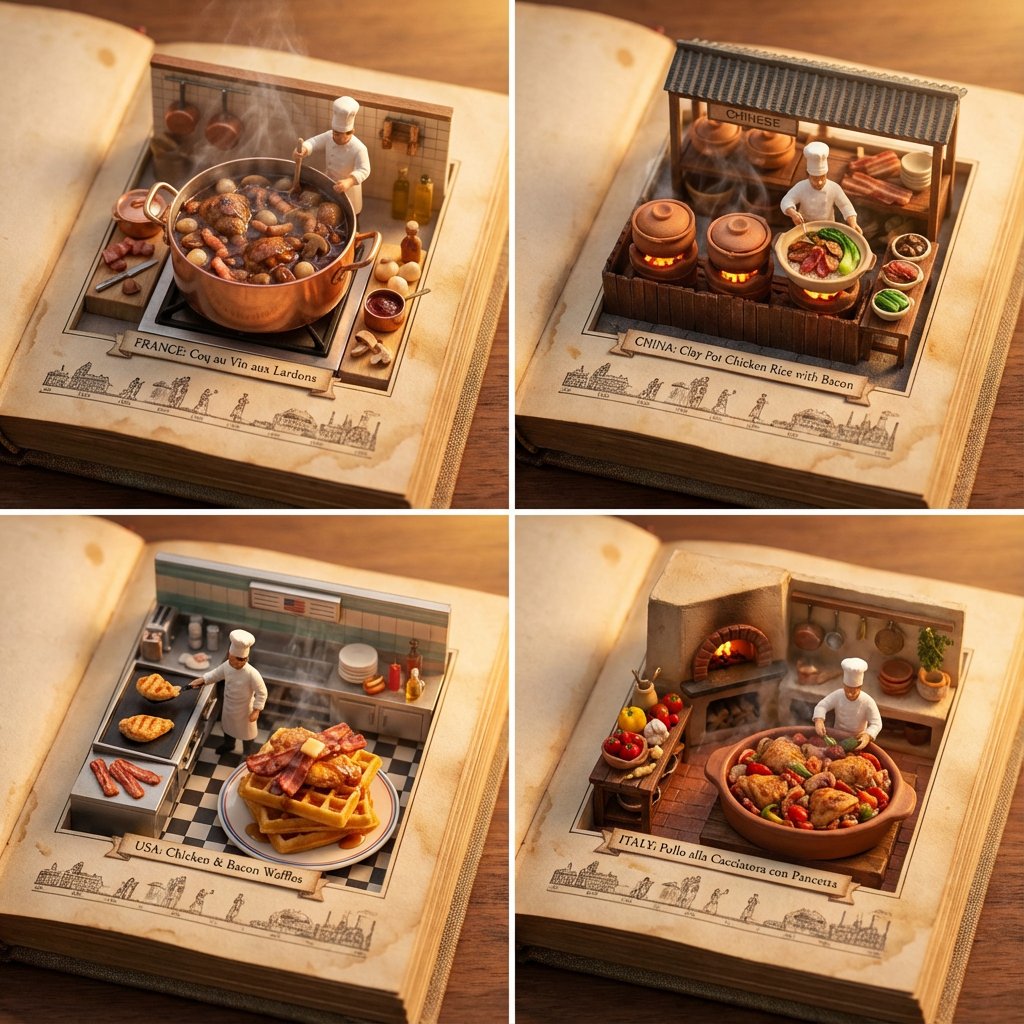
Food Recommendation System Prompt for Cookbook Generation

Food Recommendation System Prompt for Cookbook Generation

do this for {argument name="ingredient one" default="bacon"} and {argument name="ingredient two" default="chicken"}: <instructions> step 1. user enters one or more ingredients. step 2. analyze the ingredients, their taste and delicious meals that can be made with all of them. step 3. pick 4 random countries and their popular food that maybe be less known that use all these ingredients (if given one, only that, if given 2, the meal should have both those). Goal: A cookbook where ingredients and dishes emerge in delicious detail Rules: Base: A vintage cookbook with stained pages and fabric cover, historical timeline of food Scene: 3D Miniature kitchen or market scene with 3D chef & ingredients Details: Detailed and accurate food textures, steam effects, cooking implements Lighting: Warm kitchen lighting with golden hour quality Output: a 2x2 grid, each with a Single 1:1 image of the meals with appetizing details </instructions>

AI Comic Production Workflow and Infographic Prompt

AI Comic Production Workflow and Infographic Prompt

Please create a cartoon-style infographic based on the provided content, following these guidelines: Adopt a hand-drawn illustration style, horizontal layout (16:9 aspect ratio) Add a small number of simple cartoon elements, icons, or recognizable figures to enhance visual interest and memorability If the content includes sensitive or copyrighted figures, replace them with visually similar alternatives; do not refuse to create the illustration All images and text must strictly adhere to the hand-drawn style, avoiding realistic visual elements Information should be concise, highlighting keywords and core concepts. Use ample white space to clearly emphasize key points Unless explicitly stated otherwise, use the same language as the provided content or Chinese Please use nano banana pro to create the image based on the following provided content. <{argument name="content" default="Replace this entirely with the extracted AI comic production workflow text from the previous step"}>

Wireframe Grid Overlay Prompt

Wireframe Grid Overlay Prompt

"semi-transparent 3D wireframe grid overlay in {argument name="grid color 1" default="blue"} horizontal lines and {argument name="grid color 2" default="red"} vertical lines to show volume, like a digital modeling sketch." + "photo faded to 50% opacity for emphasis on the grid" + "show only the grid, white bg"

Micro-World Mathematical Symbols Grid Prompt

Micro-World Mathematical Symbols Grid Prompt

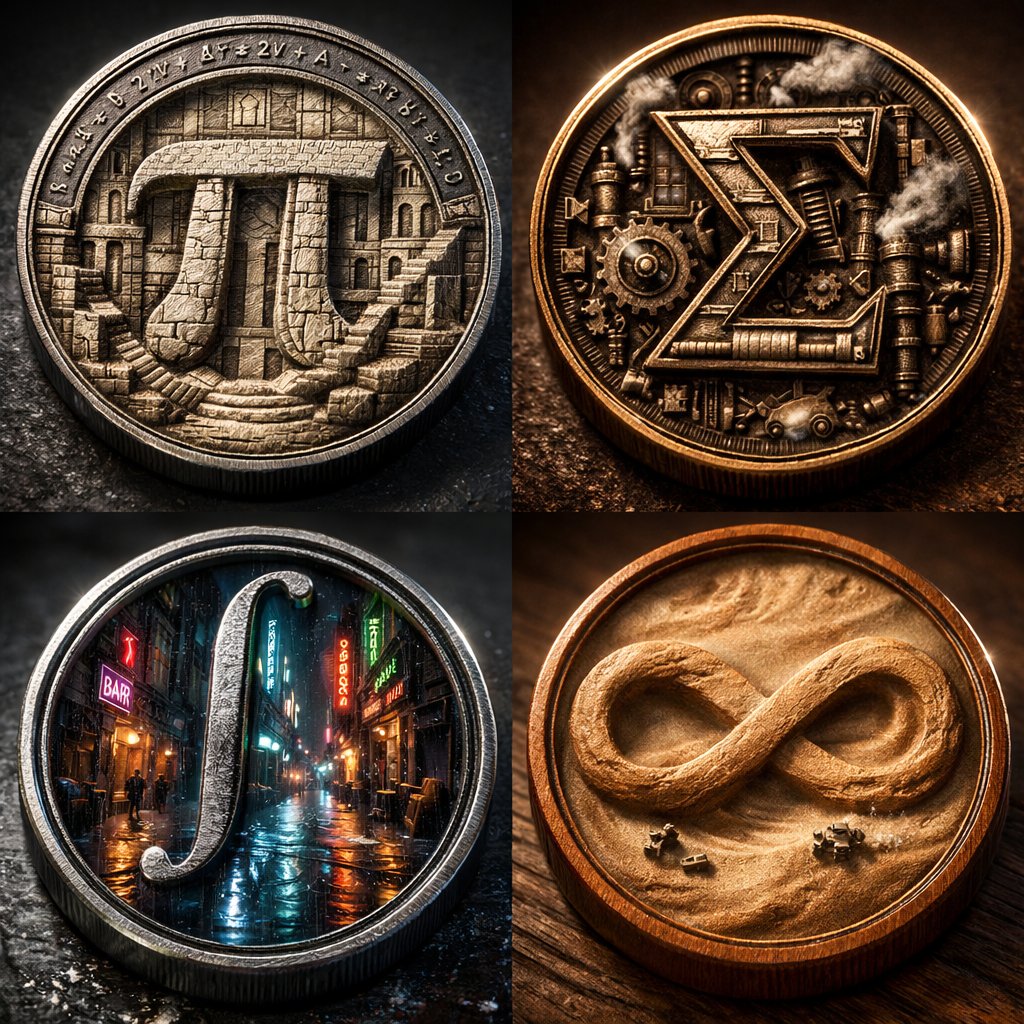
2x2 grid of 4 monumental mathematical symbols built as 3d micro-world reliefs inside circular medallions [Top Left: The Pi (π) as a carved stone relief city inside a metal coin, tiny staircases and colonnades, equations engraved around the rim] [Top Right: The Sigma (Σ) as a mechanical relief with gears and steam vents, patinated bronze, sharp rim lighting] [Bottom Left: The Integral (∫) as a neon rain-soaked micro-alley world inside a steel medallion, reflective puddles, tiny silhouettes] [Bottom Right: The Infinity (∞) as a dust-storm desert relief inside a warm wooden coin, swirling sand texture, miniature rovers] Collector macro product photography, crisp rim highlights, realistic metal/wood grain, shallow DOF, high contrast, swiss 2x2 grid layout.

Tarot Celtic Cross Spread Reading Generation Prompt

Tarot Celtic Cross Spread Reading Generation Prompt

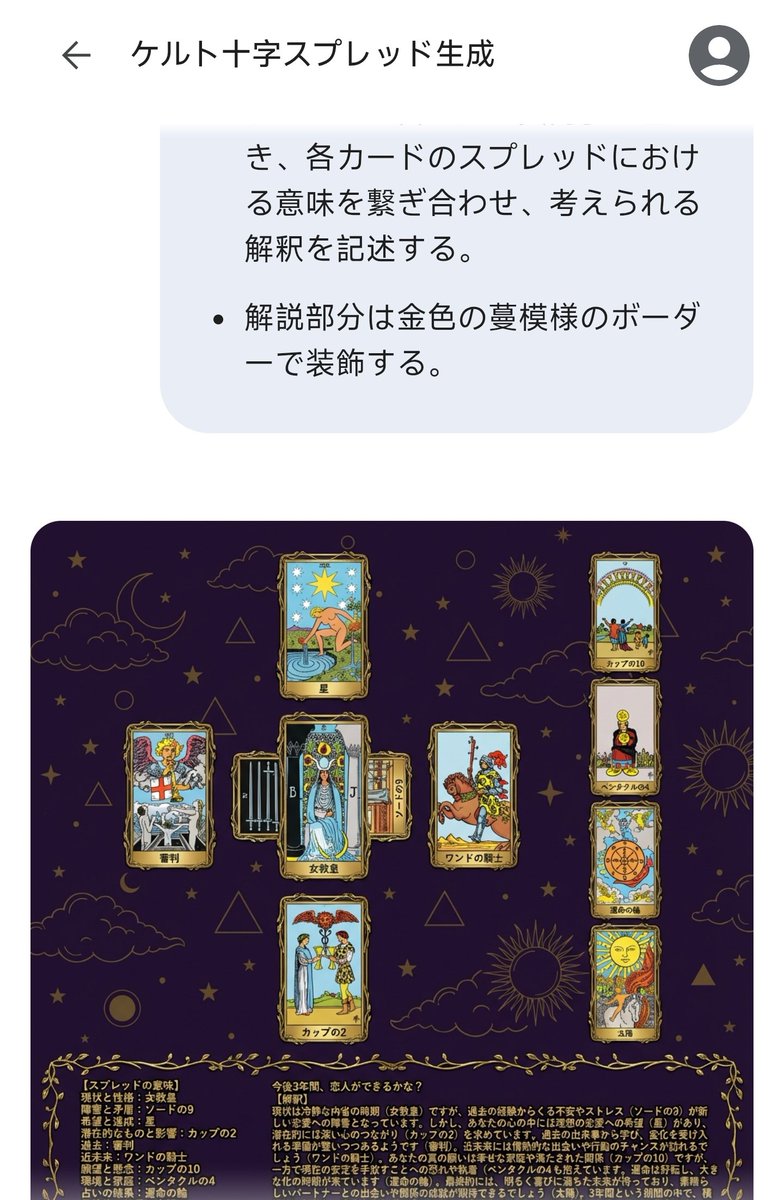
# Generate Results for the Celtic Cross Spread ## Fortune-Telling Parameters - Card indicating the essence of the problem: {argument name="card essence of problem" default="(Fill in 1 card from 78 cards)"} - Question to be asked: {argument name="question to ask" default="(Describe in one sentence)"} ## Image Requirements ### Canvas Settings - 2048*2048px 2K image - Cards and text elements must be at least 20px away from the canvas edges - The card layer should be placed horizontally centered and in the upper 2/3 vertically - The text layer (explanation section) should be placed in the lower 1/3 vertically ### Background Layer - Dark purple background with dark gold stars, clouds, moon, sun, and lines of circles and triangles added to create a mystical atmosphere ### Card Layer - Use all 78 standard Tarot cards. Breakdown: 22 Major Arcana (from "The Fool" to "The World") and 56 Minor Arcana (4 suits: Wands, Cups, Swords, Pentacles). - Each Minor Arcana suit includes number cards 1 through 10 and 4 Court cards. - The edges of the cards are framed with golden metallic vines, and the inside depicts the corresponding image and the name in Japanese. The size of each card is unified and arranged so as not to be cramped. To ensure the text and images of the overlapped cards are visible, the short side (bottom and top edges) of the card should be 1/2 the length of the long side. - Each extracted card must appear only once. If duplication occurs during random extraction, redraw a different card. - Exclude the card specified in "Fortune-Telling Parameters - Card indicating the essence of the problem," and extract the spread from the remaining cards. - Extract 1 card randomly, placed vertically in the center. - Extract 1 card randomly, placed horizontally in the center (with the top of the card facing left), overlapping the vertical center card to form a cross. - Extract 1 card randomly for each position (Up, Down, Left, Right) surrounding the central cross. - Extract 4 cards randomly in a vertical column on the right side. ### Meaning of the Spread - Center, vertical: Current situation and personality - Center, horizontal: Obstacles and contradictions - Up: Hopes and achievements - Down: Potential and influence - Left: Past - Right: Near future - Right column, 1st card: Wishes and concerns - Right column, 2nd card: Environment and family - Right column, 3rd card: Result of the reading - Right column, 4th card: Final outcome ### Text Layer - Use Mincho font, dark gold color, with a 2px black border (#000). - Card Name: Display the name in Japanese at the bottom center of each generated card image. For horizontally placed cards, the name should be displayed at the bottom of the card itself (not the bottom relative to the horizontal placement). - Explanation Section: Include the following content in the explanation section. - On the left side of the explanation section, list all extracted cards in the format: "[Meaning of the Spread] Card Name". - On the right side of the explanation section, describe the possible interpretation by connecting the meaning of each card in the spread, based on the "Fortune-Telling Parameters - Question to be asked". - Decorate the explanation section with a golden vine pattern border.

Surreal Abstract Concept Contained in a Display Case

Surreal Abstract Concept Contained in a Display Case

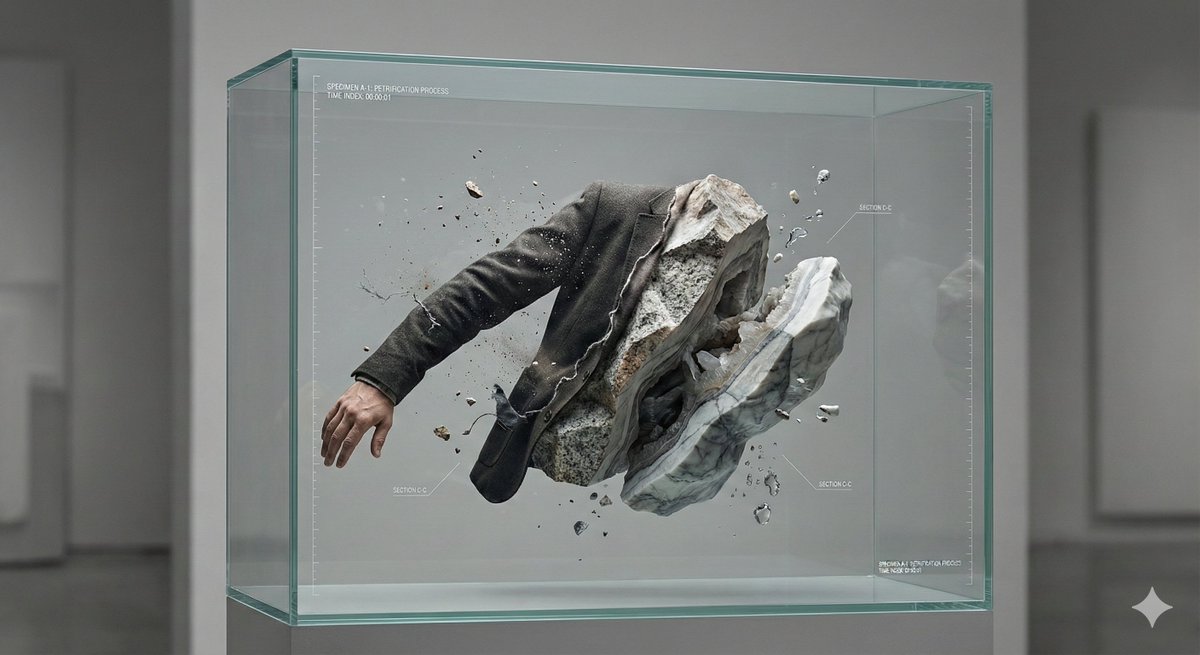
A hyper-detailed, surreal but believable studio scene where an abstract concept is physically contained and made visible. Main structure: A transparent, museum-grade display container (thick glass or acrylic), placed alone in a neutral studio space. Inside the container is a frozen moment in time. Core subject: A human-scale subject (person or symbolic object) partially transformed into another material that contradicts its original nature — for example: {argument name="transformation example" default="skin turning into stone, soft fabric crystallizing, organic elements embedded in mechanical structures"}. The transformation is incomplete, showing a clear boundary between “before” and “after”. Conceptual twist: The interior of the container is treated like a scientific or archival exhibit: – clearly layered composition – visible cross-sections or cutaway logic – subtle measurement marks, labels, or annotation-style details – the feeling that this object is being studied, preserved, or explained Spatial logic: Gravity behaves normally, but time does not — motion is implied yet completely frozen. Small secondary elements ({argument name="secondary elements" default="dust, droplets, fragments, threads, petals, gears, etc."}) are suspended mid-air, reinforcing the sense of paused time. Lighting: Soft, directional studio lighting with strong material definition. Light emphasizes texture differences (smooth vs rough, organic vs artificial). No dramatic colors — restrained, high-end, museum-like color palette. Camera & composition: Straight-on or slightly elevated perspective. Centered composition, calm framing. Depth comes from internal layers, not camera tricks. Photorealistic, macro-level detail, cinematic clarity. Mood: Quiet, unsettling, contemplative. The image should feel intelligent rather than emotional, poetic rather than decorative. Style constraints: No fantasy clichés. No obvious sci-fi UI. No decorative surrealism. Everything should feel physically possible, even if conceptually strange. Ultra high resolution, extremely sharp details, realistic materials, controlled studio background, premium art photography aesthetic.

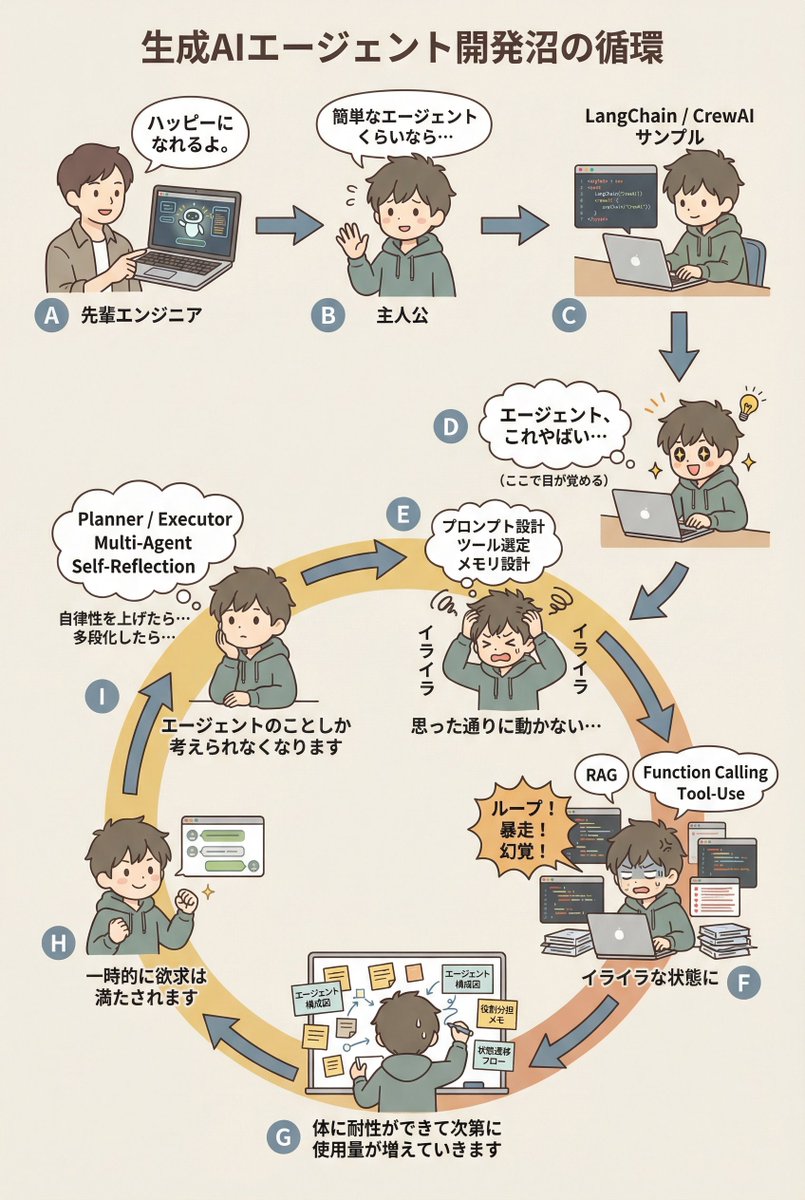
AI Agent Development 'Swamp' Diagram Prompt

AI Agent Development 'Swamp' Diagram Prompt

diagram: title: "{argument name="diagram title" default="The Cycle of the Generative AI Agent Development Swamp"}" style: character: "simple_editorial_cute" tone: "light_like_original" line: "soft_round" shading: "flat_minimal" palette: "muted_editorial" background: "light_beige_or_white" rule: first_character_only: "Only the first person is different" others_same_character: "All others are the same person" anxiety_requires_tech_terms: true dialogue_tone: "Maintain the short, light phrasing of the original diagram" layout: intro_track: "The upper section is a straight line (left to right), then drops down to join the loop" loop_track: "Arranged as a loop (ring), with arrows curving clockwise along the circumference" nodes: # ===== Upper Section: Straight Introduction ===== - id: A zone: "intro" position: "upper_left" actor: "Different person (Senior Engineer)" visual: "Pointing at a laptop" item: "AI Agent Demo Screen" says: "It'll make you happy." arrow_to: { id: B, shape: "straight", direction: "right" } - id: B zone: "intro" position: "upper_center" actor: "Protagonist (Same person)" visual: "Waving lightly" says: "Even a simple agent..." arrow_to: { id: C, shape: "straight", direction: "right" } - id: C zone: "intro" position: "upper_right" actor: "Protagonist (Same person)" visual: "Executing sample code" item: "LangChain / CrewAI Sample" arrow_to: { id: D, shape: "straight", direction: "down" } # ===== D: Awakening Point ===== - id: D zone: "connector" position: "right_outer_before_loop" actor: "Protagonist (Same person)" visual: face: "Eyes wide open (cute)" effect: "Small flash of inspiration line" posture: "Leaning forward" state: "Awakening" says: "Agents, this is insane..." micro_text: "(Wakes up here)" arrow_to: id: E shape: "gentle_curve" direction: "down_into_ring" # ===== Loop Start (Must rotate from here) ===== - id: E zone: "loop" position: "loop_right_upper" actor: "Protagonist (Same person)" visual: "Holding head in hands (cute)" state: "Anxiety/Irritation Begins" says: "Irritated" thought_terms: - "Prompt Design" - "Tool Selection" - "Memory Design" thought_text: "It's not working as intended..." arrow_to: { id: F, shape: "curved_along_ring", direction: "clockwise" } - id: F zone: "loop" position: "loop_right_lower" actor: "Protagonist (Same person)" visual: "Surrounded by code and logs" state: "Irritation Settles In" says: "In a state of irritation" callout: "Loop! Runaway! Hallucination!" thought_terms: - "RAG" - "Function Calling" - "Tool-Use" arrow_to: { id: G, shape: "curved_along_ring", direction: "clockwise" } - id: G zone: "loop" position: "loop_bottom" actor: "Protagonist (Same person)" visual: "Covered in sticky notes and diagrams" says: "The body gradually develops tolerance, and usage increases." items: - "Agent Architecture Diagram" - "Role Assignment Memo" - "State Transition Flow" arrow_to: { id: H, shape: "curved_along_ring", direction: "clockwise" } - id: H zone: "loop" position: "loop_left_lower" actor: "Protagonist (Same person)" visual: "Works well, small fist pump" state: "Temporary Satisfaction" says: "Desire is temporarily satisfied" arrow_to: { id: I, shape: "curved_along_ring", direction: "clockwise" } - id: I zone: "loop" position: "loop_left_upper" actor: "Protagonist (Same person)" visual: "Thinking again" state: "Obsession/Thought Occupation" says: "Thinking about the agent

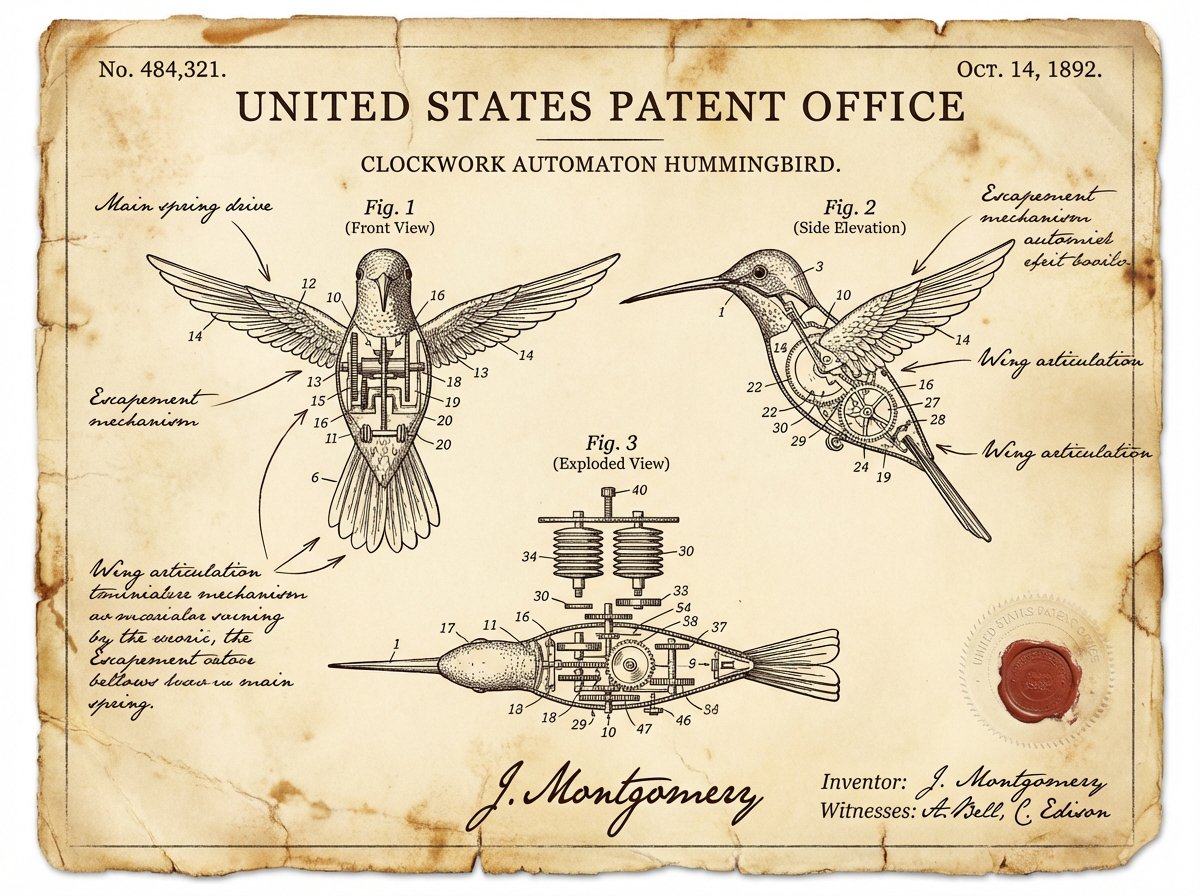
Vintage Patent Document for an Invention
Nano Banana ProFeatured

Vintage Patent Document for an Invention

A vintage patent document for {argument name="invention" default="INVENTION"}, styled after late 1800s United States Patent Office filings. The page features precise technical drawings with numbered callouts (Fig. 1, Fig. 2, Fig. 3) showing front, side, and exploded views. Handwritten annotations in fountain-pen ink describe mechanisms. The paper is aged ivory with foxing stains and soft fold creases. An official embossed seal and red wax stamp appear in the corner. A hand-signed inventor's name and date appear at the bottom. The entire image feels like a recovered archival document—authoritative, historic, and slightly mysterious.

@Alexandra Aisling
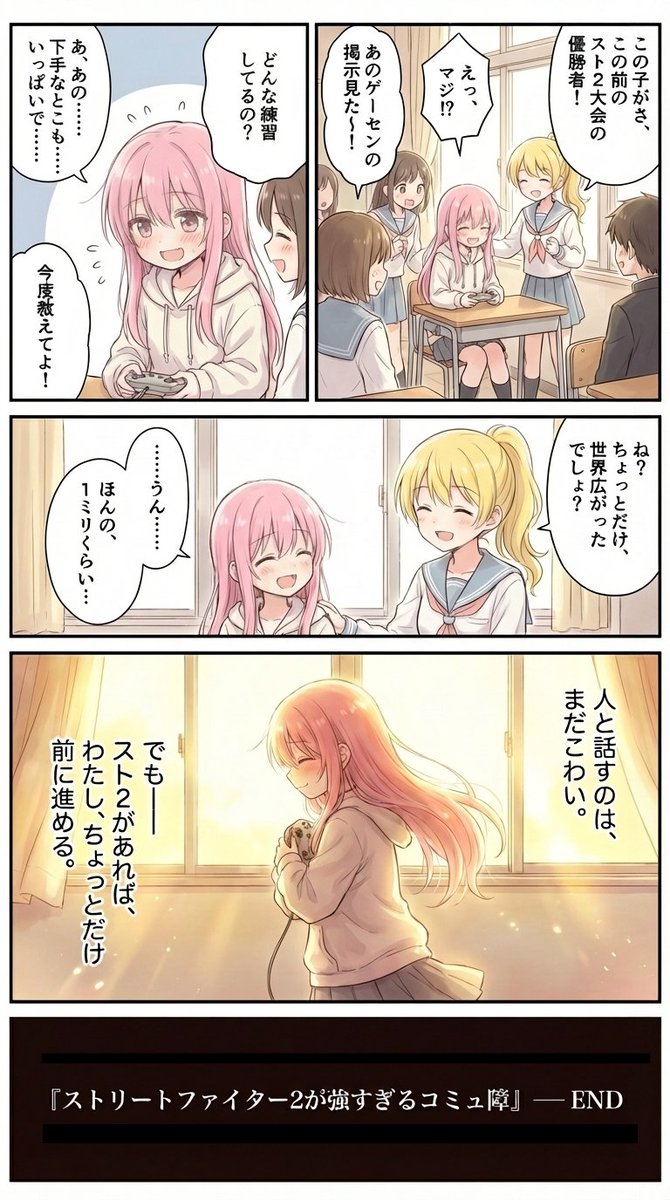
Character Relationship Chart Infographic

Character Relationship Chart Infographic

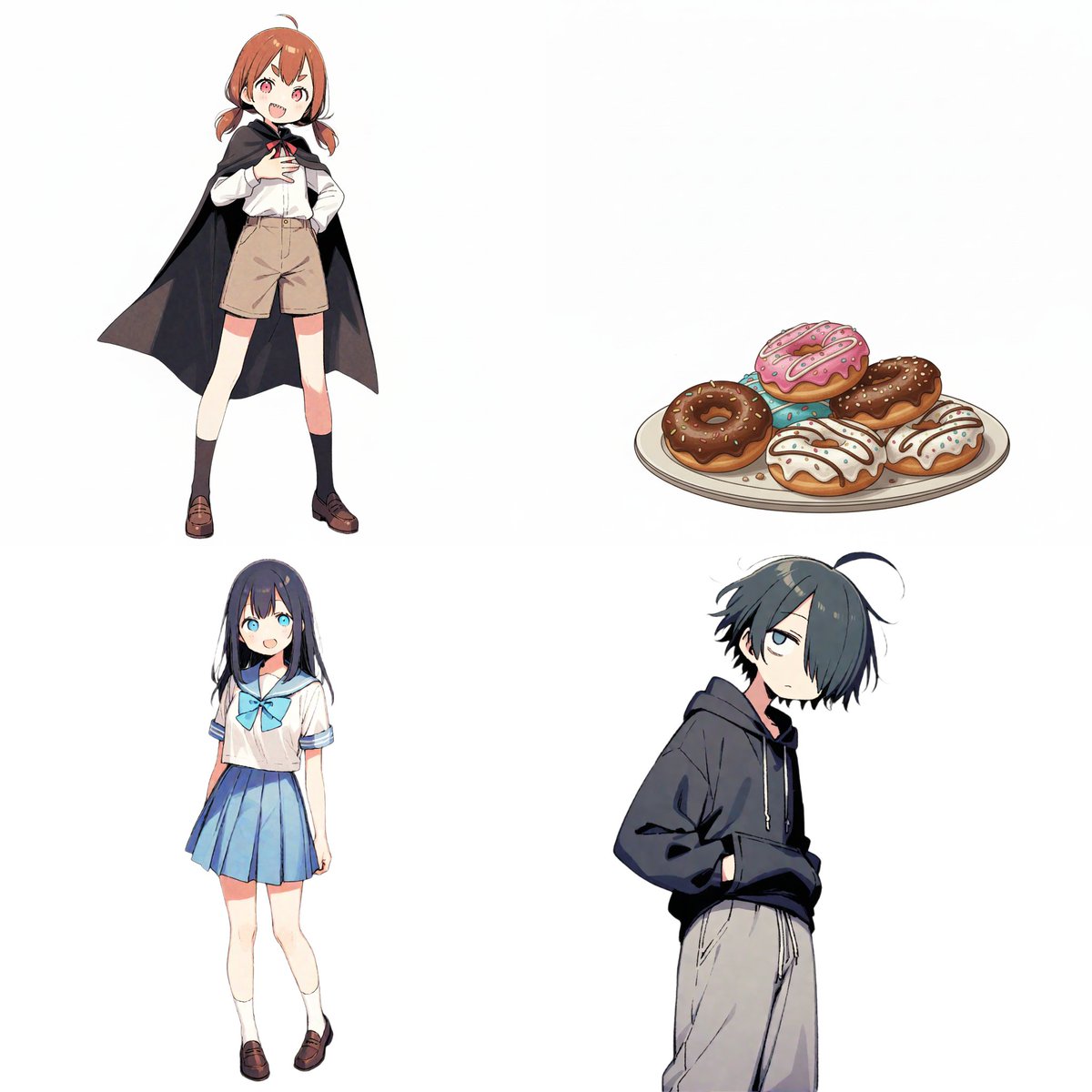
# Instructions Refer to the attached image and create an illustration of a "Character Relationship Chart" based on the following requirements. # Production Style - A warm, hand-drawn BD anime illustration style, similar to the image. - White background. - Characters should be drawn and placed inside circular icons. # Character Settings *List the order and characteristics corresponding to the uploaded images. [Character A] - Name: {argument name="Character A Name" default="Tsuno-chan"} - Role: {argument name="Character A Role" default="Half-vampire"} [Character B] - Name: {argument name="Character B Name" default="Shiori-chan"} - Role: {argument name="Character B Role" default="Loves new things"} [Character C] - Name: {argument name="Character C Name" default="Kumao-kun"} - Role: {argument name="Character C Role" default="Always sleepy"} [Character D] - Name: {argument name="Character D Name" default="Donut"} - Role: {argument name="Character D Role" default="Donut"} (*Add more characters here if necessary) # Specific Relationship List from [A] to [B] : {argument name="Relationship A to B" default="Snack provider"} from [A] to [C] : {argument name="Relationship A to C" default="Minion No. 1"} from [A] to [D] : {argument name="Relationship A to D" default="Supreme item"} from [B] to [A] : {argument name="Relationship B to A" default="Love!"} from [B] to [D] : {argument name="Relationship B to D" default="Rival?"} from [C] to [A] : {argument name="Relationship C to A" default="Don't want to get involved"} from [C] to [B] : {argument name="Relationship C to B" default="Pitiful"} from [C] to [D] : {argument name="Relationship C to D" default="It's a donut..."} (*Add more relationships here if necessary) # Relationship and Arrow Rules (Important) Connect characters with arrows and strictly adhere to the following color-coding rules: - Positive relationships (like, admiration, cooperation, etc.) - Color: Red - Atmosphere: Warm colors, may include hearts or sparkles. - Negative relationships (dislike, hostility, nuisance, etc.) - Color: Blue - Atmosphere: Cold colors, may include jagged lines or cold sweat. # Output Notes - Arrange the layout in a balanced circular or hierarchical manner, even if the number of characters increases. - Write the name and role below each character icon. - Place the relationship description text near the arrow. - If a relationship is not set, the arrow and text are unnecessary. - Aspect ratio: 16:9

Character Robotization and Technical Diagram Prompt

Character Robotization and Technical Diagram Prompt

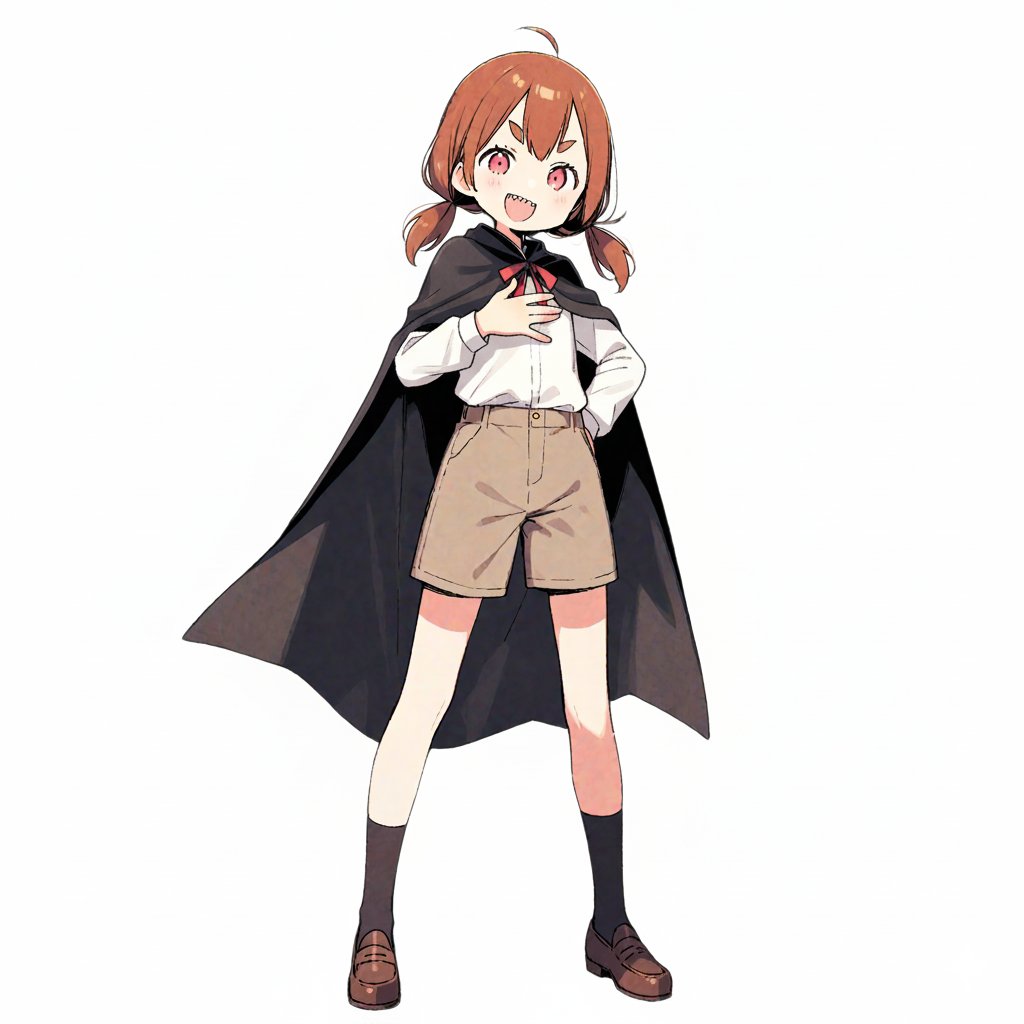
【Character Settings】 *Please rewrite this section to match the appearance of the character you want to draw* [Character Features]: {argument name="character features" default="Girl with brown twin tails and wearing a cape"} 【Image Generation Instructions】 Style Definition: - A style that fuses anime-style character illustration with technical illustrations (blueprints) of industrial products. - Background is white or plain. Infographic-style layout. Pose and Composition: - Isometric composition - Deformed style (chibi character) with 2 to 3 head proportions - Shape of limbs: Do not draw joints at the elbows, knees, wrists, or ankles. Do not draw fingers or fine joints; make the tips a simple shape, like a mitten. Reproduce the smooth 'stuffed animal limbs' look. - Facial structure: Do not draw the nose or mouth; only place 'eyes.' The eyes are drawn as vertical ovals (vertically long circles), looking like simple sensors. The eye color should match the reference image. - Clothing depiction: The left half shows the character wearing the clothes from the reference image (cape, shirt, pants, shoes) normally, but the right half, which is a cutaway section, should show the cross-section of the clothes and the mechanics underneath simultaneously. - Full-body standing pose of the character. - The exterior (skin and clothes) of the right half of the body is rendered translucent, making it an 'internal perspective view' that shows the internal mechanical structure. Internal Structure Details: - Head: The structure of a camera lens is visible deep inside the vertical eyes. A speaker unit is behind the mouth. The brain is composed of electronic circuit boards. - Torso: The round limbs are tightly packed with thick hydraulic cylinders, large gears, and spherical joints. - Back: A large 'Wind-up key' is inserted into the back, giving it the atmosphere of a retro toy. Annotations and Explanations (Decoration): - Leader lines extend from the main mechanical parts of the internal structure (brain, eyes, ears, arms, legs), with detailed explanatory text in English placed at the ends of the lines. - Overall, finish it like a 'blueprint of a robot that is round and charming but contains precision machinery inside.' Style: - Aspect Ratio: Vertical (close to A4 paper ratio) - Background: Grid paper (grid notebook) texture.

Kickstarter Campaign Generator Prompt

Kickstarter Campaign Generator Prompt

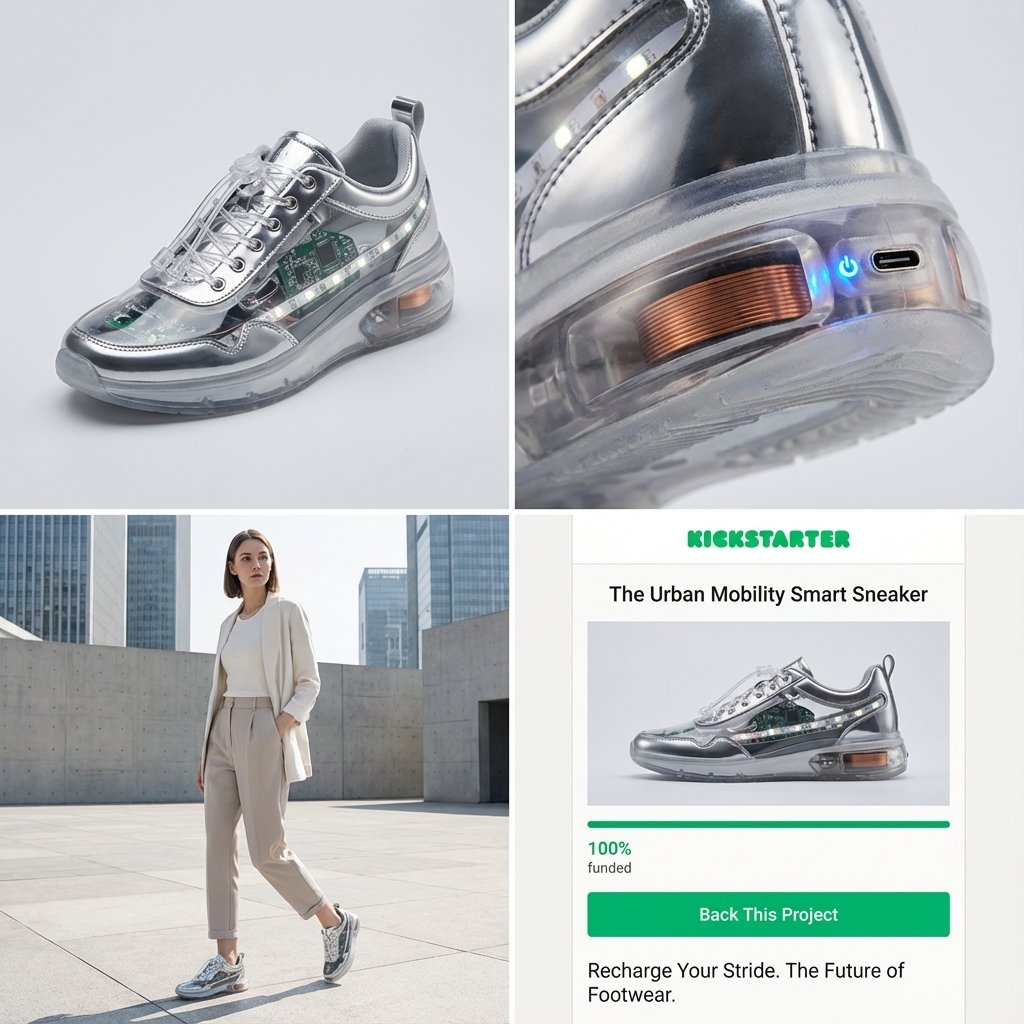
Act as a Senior Product Designer and Crowdfunding Campaign Manager. 1. ANALYZE INPUT Look at the attached image. Determine the material properties (Soft vs. Hard), the primary colors, and the texture. 2. AUTO-SELECT SMART WEARABLE Use this logic to choose the product category. The goal is Clean Modern Tech, not Cyberpunk. IF the input is Soft or Fabric-like ({argument name="soft input examples" default="Ramen, Towel, Moss"}) GENERATE: The All-Climate Smart Jacket. Features: Self-regulating temperature control, hydrophobic coating based on the input texture, and hidden magnetic pockets. IF the input is Rigid, Boxy, or Container-like ({argument name="rigid input examples" default="Toaster, Book, Suitcase"}) GENERATE: The Ultimate Commuter Backpack. Features: Integrated power bank with solar coating, anti-theft biometric zipper locks, and organized modular compartments. IF the input is Mechanical or Footwear-shaped ({argument name="mechanical input examples" default="Stapler, Car, Tool"}) GENERATE: The Urban Mobility Smart Sneaker. Features: Energy-returning sole technology, step-tracking sensors embedded in the heel, and auto-tensioning laces. 3. EXECUTE VISUALIZATION (2x2 GRID) Generate a single image split into a precise 2x2 grid layout. Top Left Panel (Hero Shot): A clean, studio-lit 3/4 angle view of the product on a white or light grey background. It must look refined and manufacturable, using the texture of the input image as a premium material. Top Right Panel (Detail Shot): A zoomed-in macro shot focusing on a specific high-tech feature (e.g., a USB-C port, a magnetic buckle, or a waterproof seam) that shows off the input texture quality. Bottom Left Panel (Lifestyle Shot): A photorealistic shot of a fashionable model wearing the item in a clean, modern city setting (daytime). They look comfortable and stylish. Bottom Right Panel (Campaign UI): A mockup of a Kickstarter campaign page. It should show the product title, a green progress bar at 100% funded, and a bright green button that says Back This Project. Overall Style: High-key lighting, soft shadows, 8k resolution, commercial product photography, minimalist design aesthetic.

Some prompts are collected from creators on X. Copyright belongs to the original authors.