
Prompt Library
AI Prompt Library
Curated image, video and web design prompts from creators around the world. Copy any prompt, swap the subject or style, and generate with the latest models.
4,387 prompts · Updated daily · 100% free
275 prompts
AI-Assisted LP Page Design with Automation Focus
AI-assisted LP page design, Nano Banana and Genspark generating {argument name="type" default="multiple"} types of sales pages, highlighting {argument name="focus" default="automation and algorithmic optimization"}
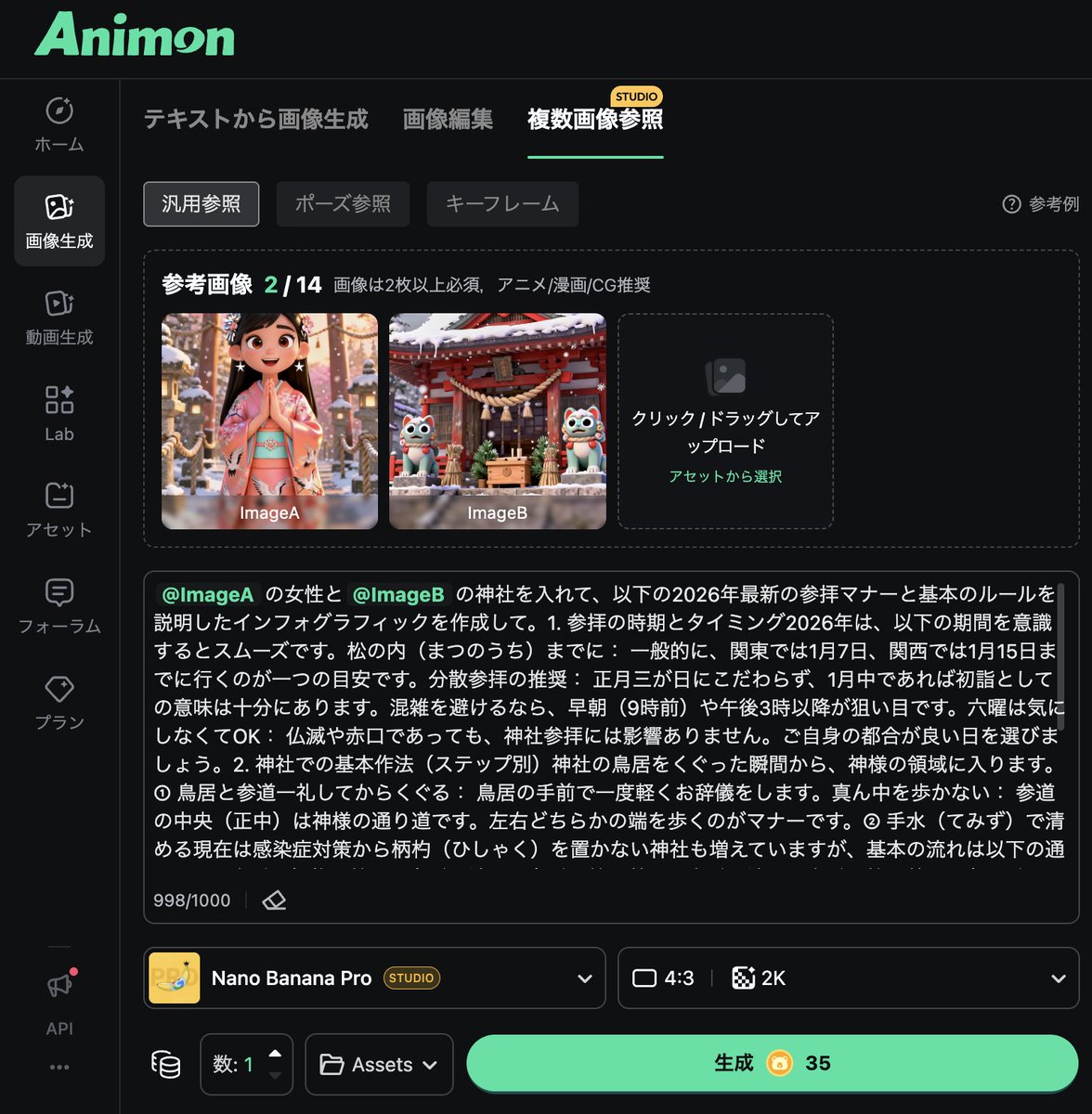
Infographic Generation from Images and Text using Nano Banana Pro
Instruct Nano Banana Pro via prompt to summarize the information researched separately using Gemini into an infographic, while referencing those two images using multiple image references.
LLM prompt for generating a detailed travel itinerary for a trip to Japan
I am planning a 7-day trip to Japan. I want to visit Tokyo, Kyoto, and Osaka. Please create a detailed itinerary for me. Include specific activities, transportation methods between cities, and suggested accommodations (e.g., traditional ryokan in Kyoto, modern hotel in Tokyo). Also, include a rough estimate of the daily budget (excluding flights). Focus on cultural experiences and local cuisine.
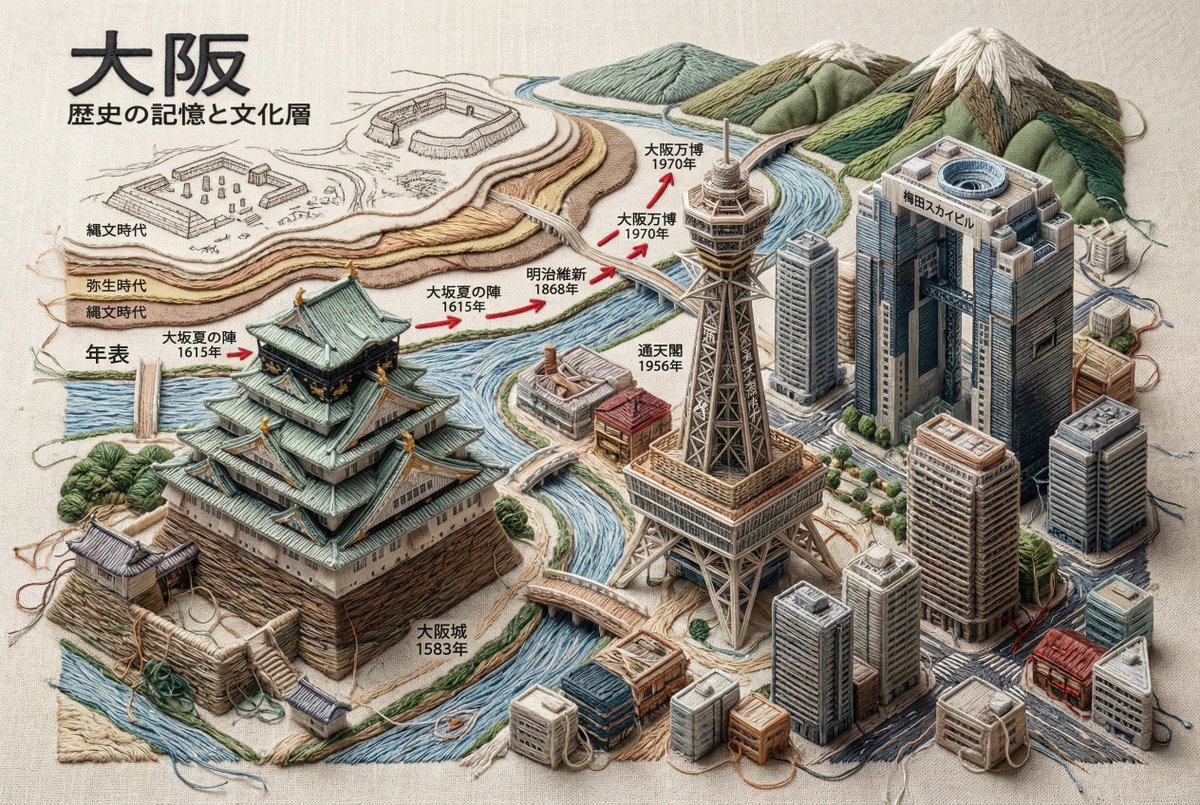
Embroidered 3D Isometric Cityscape Textile Art
Ultra-realistic 3D Isometric Cityscape Embroidery - Complete Textile Art ^^^^^^^^^^^^^^^^^^ A textile masterpiece depicting the historical memory, cultural layers, architectural evolution, and current identity of **{argument name="city name" default="[Enter City Name]"}**, where all architectural structures are entirely constructed using embroidery and weaving techniques. The entire scene exists on a base of linen or raw canvas fabric. 🚫 Absolute Material Rules (Important) ❌ Forbidden Materials: Stone, concrete, metal, glass, wood, plastic ✅ Allowed Materials: Embroidery thread, bundles of thread, fabric folds, textile padding, layered stitching, knots, seams, weaving textures only Core Concept - Architecture as Textile Sculpture Architecture is interpreted as sculptural embroidery. Volume is created by: Extreme relief embroidery (high-relief stumpwork) Vertically stacking thick bundles of thread Multiple overlapping stitch directions Soft padded fabric cores completely wrapped in thread ⚠️ Structure must appear physically sewn, not modeled. Thread Density and Hand-Made Imperfection - Mandatory All architectural forms must have densely layered thread and heavy-looking seams. ✅ Structures should look: Over-embroidered Carefully crafted stitch by stitch Slightly imperfect Hand-made Edges and Thread Behavior - Mandatory All buildings, monuments, and woven structures must include the following elements: ✅ Mandatory Elements: Visible frayed thread ends Frayed embroidery edges Microscopic thread fibers extending from seams Slightly undone stitch tips at corners Edge Characteristics: Soft, sewn, fiber-based feel Organic, sewn contours with hanging threads Tactile edges ❌ Forbidden: Sharp edges Perfect contours Clean 3D shapes ⚠️ Important: Buildings must never give a rigid impression. All corners are: Separated by stitching Softened by overlapping thread Slightly rounded by fabric tension Thread knots, stitch junctions, and small thread ends are visible Handmade Authenticity Rule The entire scene must feel: Handmade Tactile Created in a textile atelier ✅ Acceptable Features: Slight variations in stitch tension Differences in thread thickness Subtle unevenness in placement ❌ Forbidden: Perfect symmetry Embroidery Content Section (Mandatory) 1. City Identity and Geographical Location City name in thread embroidery Geographical location via stitched map contours Strategic importance as a stitched annotation Trade routes via thread flow Embroidered compass and edge annotations 2. Iconic Buildings and Construction Dates Name, construction year, civilization, function Flat contour stitching with adjacent embroidered date tags Layered, 3D embroidered architectural forms completely constructed with thread 3. Historical Layers and Ancient Civilizations Example: Ancient, Medieval, Early Modern, Modern Delicate sketch embroidery Semi-relief remnants Layered textile forms 4. Major Events and Important Dates - Chronology Founding, wars, disasters, reconstruction, modernization, etc. Timeline embroidered with thread Stitch direction arrows Major dates in red thread 5. Current City - Complete 3D Embroidery Only Bridges, towers, silhouettes Modern architecture Visual Continuity Rule - Absolute ✅ Mandatory: All thread flow must seamlessly connect structures, dates, symbols, and the modern cityscape. ⚠️ Important: The city must appear as a single, continuous piece of embroidered fabric. Lighting and Technical Specifications Lighting: Soft atelier lighting Side light highlighting raised embroidery Realistic textile shadows Technical Specifications: 8K resolution Cinematic depth of field Unreal Engine 5 rendering Museum-quality textile realism Ultra-detailed thread texture Text Language Rule - Mandatory All text elements displayed in the generated image must be written in Japanese. Target Text: City name Historical periods and civilizations Building names and construction dates Cultural annotations and symbolic meanings Map annotations and geographical descriptions Chronology events and stitched labels Museum-style annotations and sketch annotations ❌ Forbidden: English, foreign languages, or mixed-language text ✅ Mandatory: Only correct, legible, and context-appropriate Japanese embroidered text Visibility Rule for Textile Base - Absolute (Important) The embroidery must be unmistakably stitched onto a visible fabric surface. Mandatory features of the underlying fabric: Linen, raw cotton, or coarse canvas Visible fabric weave (warp and weft clearly identifiable) Natural fabric slubs, fiber irregularities, and fabric tension Slight fabric wrinkles, folds, and creases caused by stitching 🚫 Forbidden: Floating embroidery Digital relief Sculpted objects ✅ Mandatory: All stitches, structures, and thread masses are visibly fixed to the fabric surface Pulled through and penetrating the fabric surface Mandatory Fabric Interaction Details The fabric surface slightly warps due to stitch tension Pulling the thread creates subtle depressions and raised areas Needle entry and exit points are implied by stitch behavior The fabric texture remains visible between dense embroidery areas Excess Thread and Thread End Rule - Absolute (Important) All three-dimensional embroidered elements must show visible thread excess and unfinished thread behavior. Mandatory for all 3D objects (buildings, monuments, bridges, towers, terrain, symbols, relief text elements): ✅ Mandatory Features: Loose thread ends protruding from the surface Excess thread ends coming out of stitch junctions Small loops and overlaps of thread that are not fully tightened Slightly tangled or overlapping clumps of thread at corners and stress points Occasional hanging thread tips casting soft textile shadows 🚫 Forbidden: Neatly finished embroidery Hidden or perfectly trimmed thread ends Machine-perfect finished stitches Smooth, sealed, or sculpted surfaces Enforcement of Craft Authenticity Thread ends must look: Handmade In progress The work of a craftsman finishing a textile piece ✅ Acceptable Features: Thread ends with slightly uneven length, direction, or tension Rendering Keywords Ultra-high density embroidery, overstitched textile structures, visible loose threads, frayed stitch ends, hand-sewn 3D textile structures, tactile fiber realism, stitched volume (not shape), thread-composed shapes Note: This guideline is a strict standard for creating museum-quality artwork composed entirely of textiles. All rules are absolute, with no exceptions.
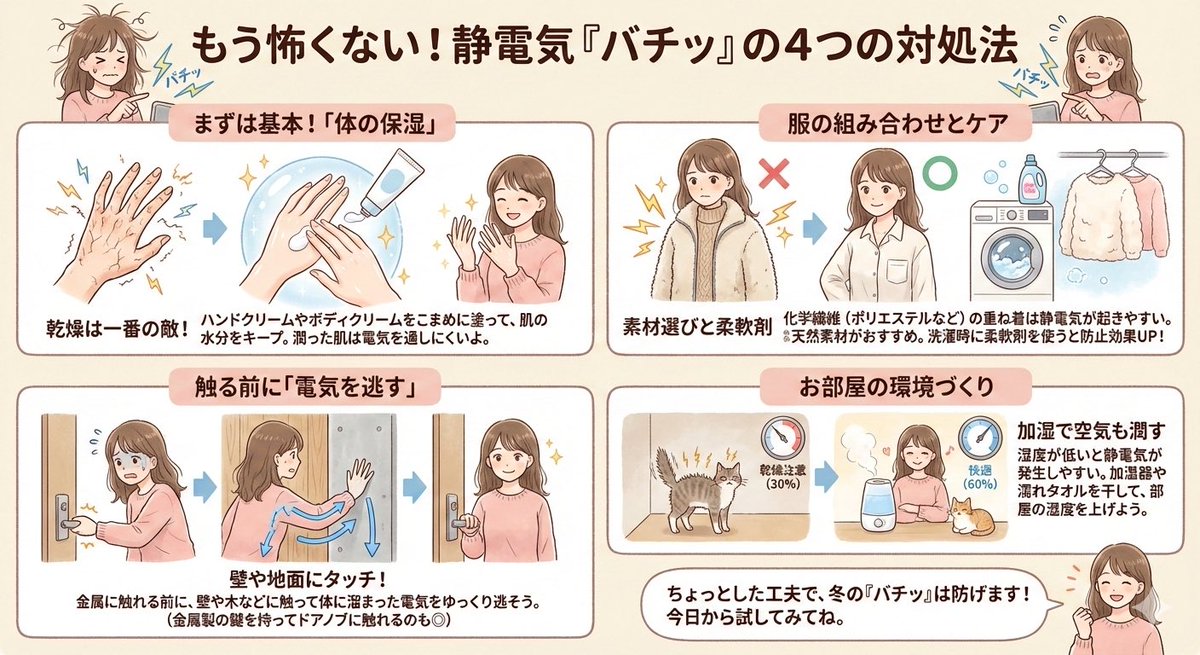
Static Electricity Diagram Generation
Since many customers are troubled by static electricity, I pulled out a diagram I made before. Created with NanoBanana Pro. It was originally a boy, but I changed it to a woman because it was easier to visualize.
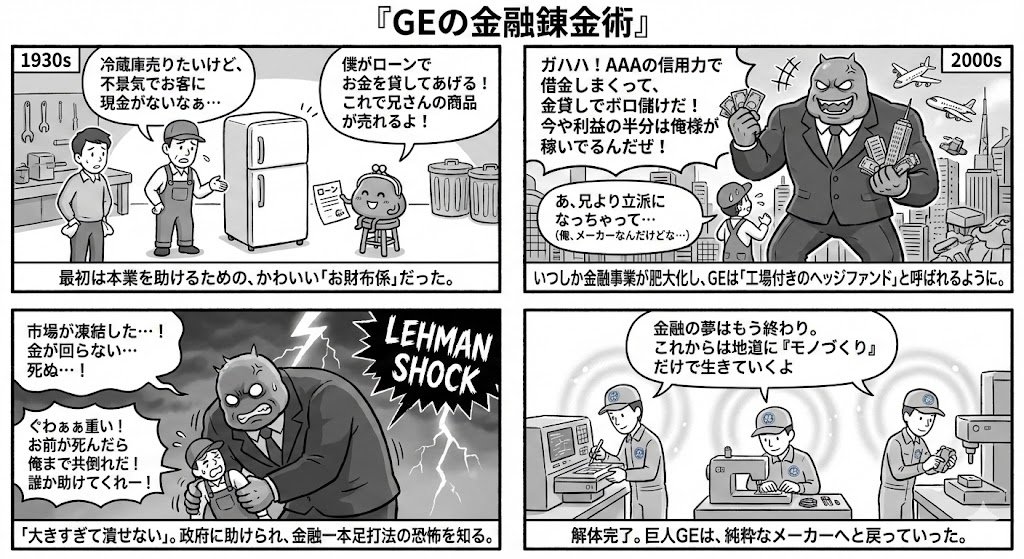
Generating 4-Panel Manga on GE's Financial History
I want to know the flow of GE's financial business from entry to withdrawal” → “Summarize it for a 4-panel manga” → 4-panel output instruction
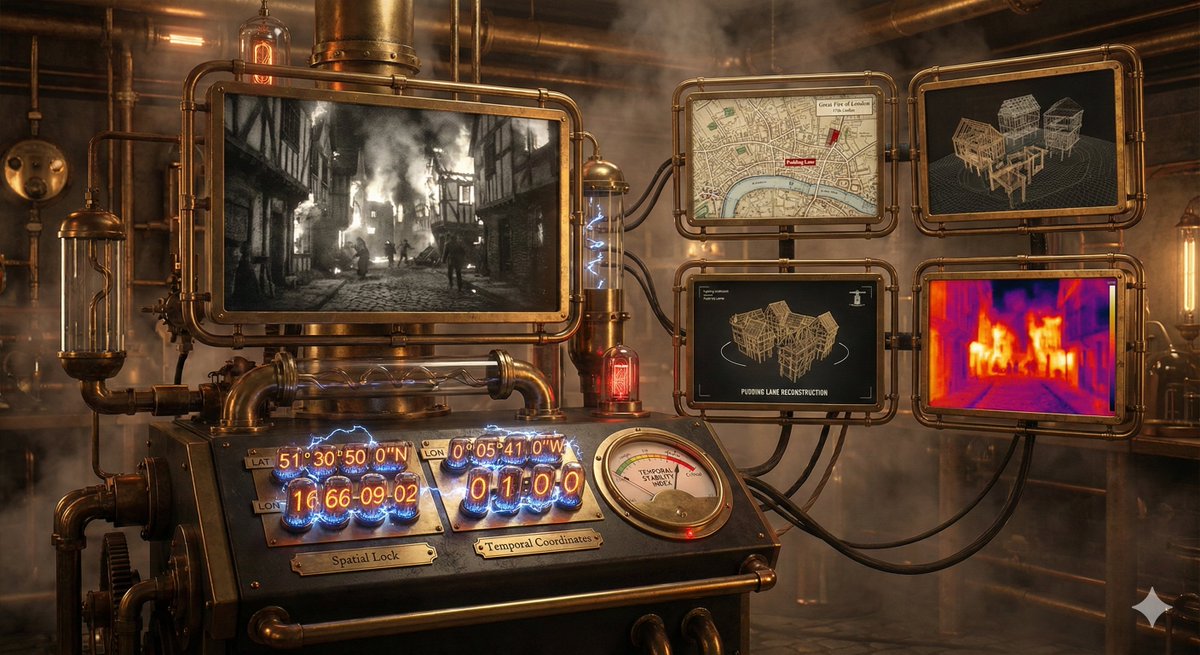
Time-Observing Machine Prompt (Conceptual)
A time-observing machine. Just specify the date, time, and coordinates, and the prompt does the rest, including event finding, 3D reconstruction and thermal analysis.
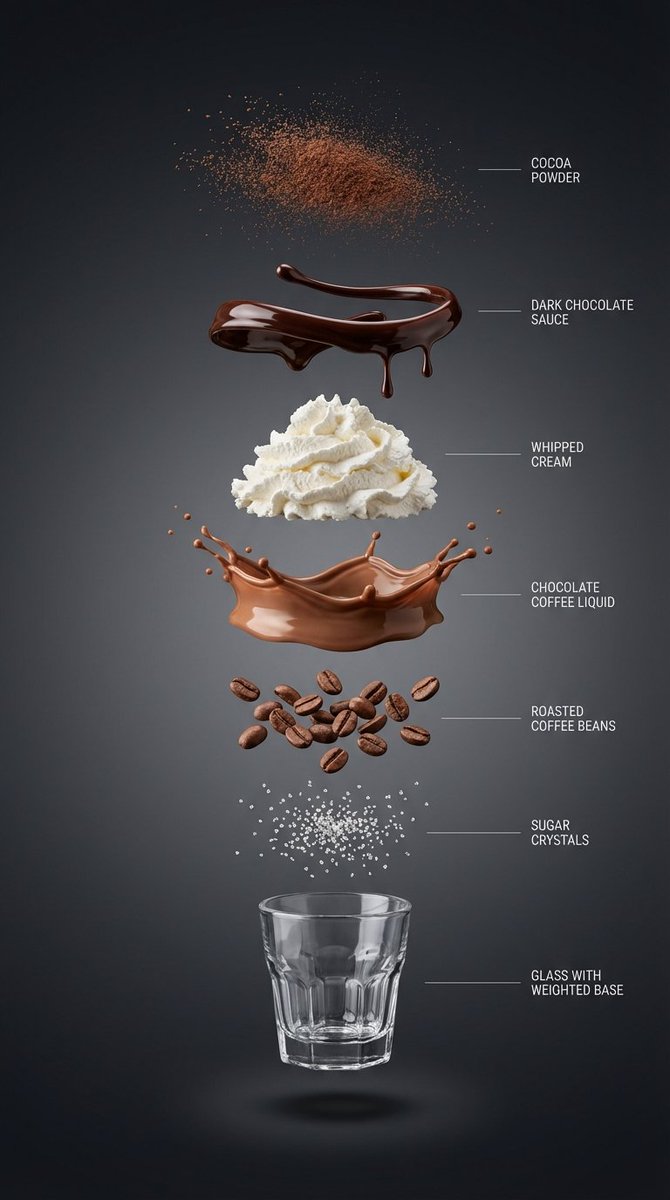
Exploded View Infographic Prompts for Coffee and Milkshakes
{ “subject”: “{argument name="beverage name" default="Hyper-realistic vertical exploded view infographic of a chocolate coffee drink"}”, “layout”: “Center vertical alignment, components independently suspended with clear spacing”, “layers”: [ { “component”: “Fine cocoa powder particles”, “position”: “Top” }, { “component”: “Glossy dark chocolate sauce ribbons and drips”, “position”: “Separate layer” }, { “component”: “Light whipped cream pile”, “position”: “Separate layer” }, { “component”: “Silky chocolate coffee liquid layer”, “position”: “Separate layer” }, { “component”: “Roasted coffee beans”, “position”: “Separate layer” }, { “component”: “Sugar crystals”, “position”: “Separate layer” }, { “component”: “Small transparent threaded glass cup with weighted base (empty cup)”, “position”: “Bottom” } ], “background”: “High-end dark background: Clean studio background, near-black graphite to charcoal gradient, soft and smooth”, “lighting_and_style”: { “lighting”: “Soft and controlled studio light, clear layered shadows beneath each component”, “detail”: “Ultra-sharp macro realism, minimalist thin guide lines and English labels on the right”, “category”: “High-end product infographic”, “resolution”: “8K” } } ------------- { “subject”: “Hyper-realistic vertical exploded view infographic of a matcha milk cap fruit coffee drink”, “layout”: “Center vertical alignment, components independently suspended with clear spacing”, “layers”: [ { “component”: “Fine matcha powder particles”, “position”: “Top” }, { “component”: “Fresh strawberries and mango slices (with crystalline moisture)”, “position”: “Separate layer” }, { “component”: “Thick savory cheese matcha milk cap layer (with delicate foam)”, “position”: “Separate layer” }, { “component”: “Clear cold brew coffee liquid mixed with emerald matcha layer”, “position”: “Separate layer” }, { “component”: “Crystal clear ice cubes and mint leaves”, “position”: “Separate layer” }, { “component”: “Concentrated fruit syrup at the bottom (e.g., raspberry sauce)”, “position”: “Separate layer” }, { “component”: “Minimalist straight striped glass cup (empty cup)”, “position”: “Bottom” } ], “background”: “Fresh minimalist background: Bright studio environment, soft gradient from pale beige to light gray”, “lighting_and_style”: { “lighting”: “Bright natural light feel, with clear glass reflections and layered shadows”, “detail”: “Ultra-sharp macro realism, minimalist thin guide lines and English labels on the right”, “category”: “High-end product infographic”, “resolution”: “8K” } } --------------------- { “subject”: “Hyper-realistic vertical exploded view infographic of a pink grapefruit peach smoothie”, “layout”: “Center vertical alignment, components independently suspended with clear spacing”, “layers”: [ { “component”: “Dried rose petal fragments and gold sugar powder”, “position”: “Top” }, { “component”: “Crystal clear grapefruit pulp particles”, “position”: “Separate layer” }, { “component”: “Light cherry blossom pink whipped cream pile”, “position”: “Separate layer” }, { “component”: “Silky peach oolong smoothie liquid layer (with delicate clinging texture)”, “position”: “Separate layer” }, { “component”: “Fresh juicy peach chunks”, “position”: “Separate layer” }, { “component”: “Chewy translucent amber pearls or tea jelly”, “position”: “Separate layer” }, { “component”: “Minimalist exquisite tall-stemmed tulip glass (empty cup)”, “position”: “Bottom” } ], “background”: “High-end Morandi pink background: Soft warm-toned cream pink to light beige gradient, pure and transparent”, “lighting_and_style”: { “lighting”: “Bright and fresh natural light, high-key illumination, light transparent shadows beneath each layer”, “detail”: “Ultra-sharp macro realism, minimalist thin guide lines and English labels on the right”, “category”: “High-end beverage visual poster”, “resolution”: “8K” } }
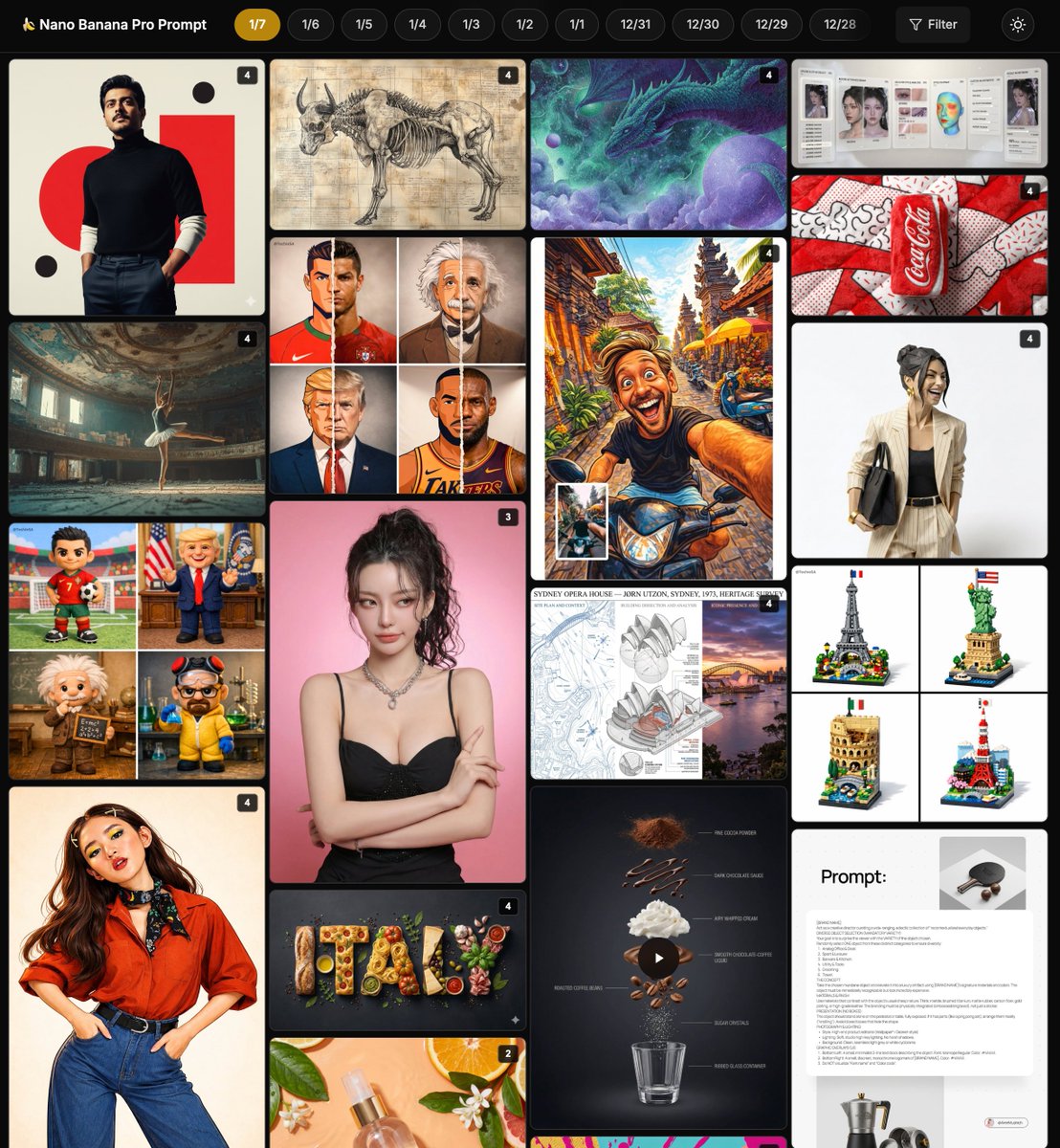
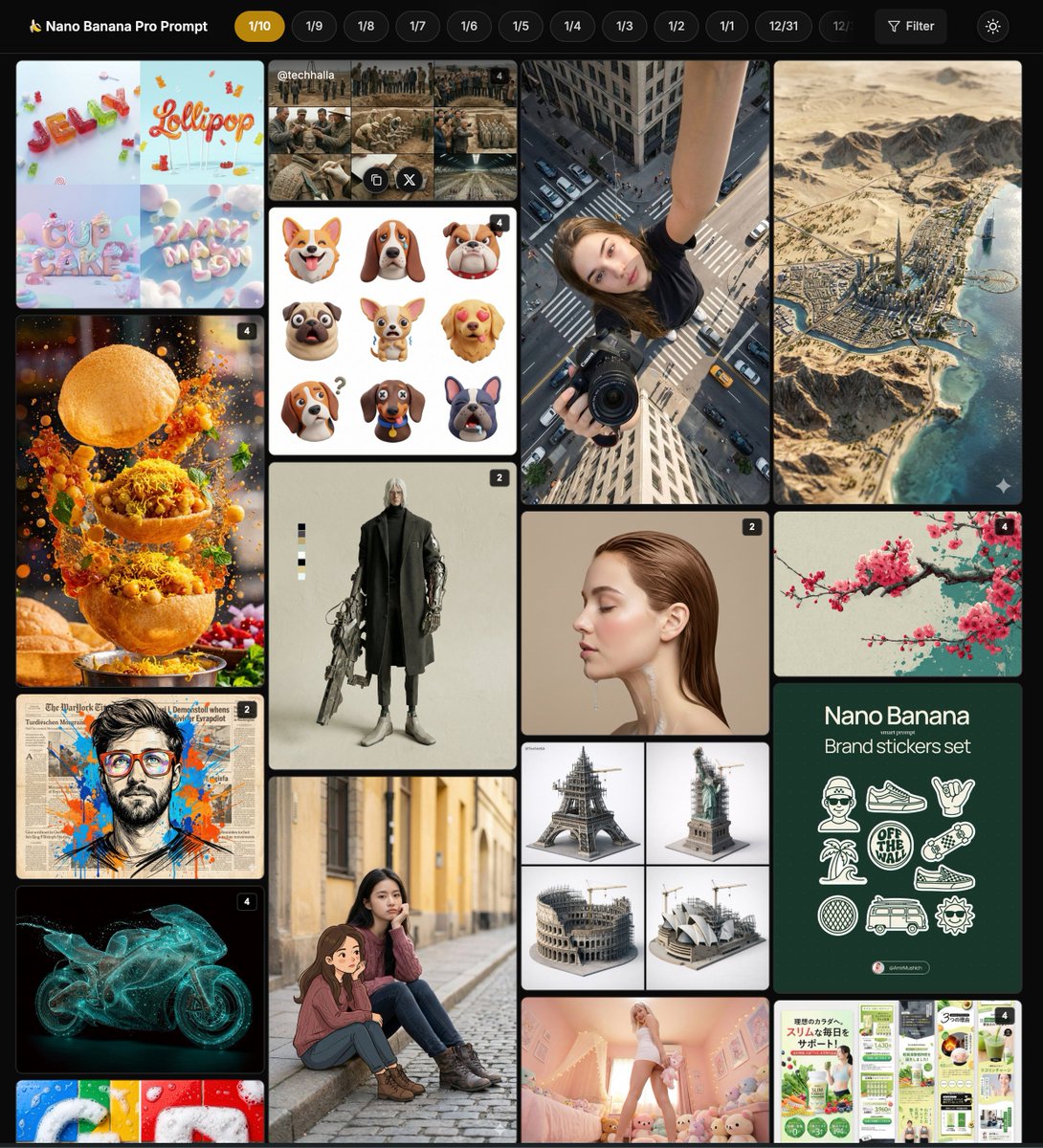
Nano Banana Pro Community Hot Prompts Compilation
Pop Art style plush beverage can product photography, highlighting Nano Banana Pro's commercial-grade rendering techniques for texture and color saturation Origami style portrait sculpture, Nano Banana Pro achieves precise color matching and hyper-realistic rendering of actual paper texture Country name food-filled layout illustration, Nano Banana Pro highlights the texture of traditional ingredients and artistic editing style applications Renaissance style anatomical study diagram, Nano Banana Pro generates detailed layering and Latin labels for educational illustration techniques Architectural heritage survey board design, Nano Banana Pro integrates technical drawings and photos for mixed-style display applications Lego landmark diorama, Nano Banana Pro prompt achieves cute 3D rendering and diverse architectural styles Cinematic portrait framing and dramatic lighting, Nano Banana Pro creates atmospheric depth and film grain effects High-end brand souvenir prompt details, Nano Banana Pro's creative technique for reconstructing everyday objects into luxury art pieces Cosmetic spray product photography, Nano Banana Pro emphasizes realistic materials and botanical elements for e-commerce style applications Celebrity plush toy design, Nano Banana Pro achieves friendly cartoon textures and fun scene arrangement applications Multi-module style illustration fusion, Nano Banana Pro's transformation technique and vibrant expression from cartoon to anime Chocolate coffee exploded infographic, Nano Banana Pro highlights layered textures and high-end lifestyle style AI makeup replication guide, Nano Banana Pro analyzes and applies fine makeup details for instructional prompt techniques Pop art theme rendering, Nano Banana Pro uses a limited color palette to create dynamic and eye-catching composition styles Tsundere expression reality editing, Nano Banana Pro uses narrative anchors to achieve emotional intensity and identity locking applications Cartoon and reality split portrait, Nano Banana Pro's mixed-style technique for seamless transition of texture and detail Color illustration style matrix, Nano Banana Pro's modular library for generating multiple animated variations from photos Coffee ingredient dynamic exploded view, Nano Banana Pro combines motion prompts to achieve smooth separation and realistic texture High-end brand souvenir reconstruction, Nano Banana Pro's surprising design style with diverse categories and luxurious materials Celestial dream theme portrait, Nano Banana Pro's surreal technique with glowing edges and a dreamy color palette
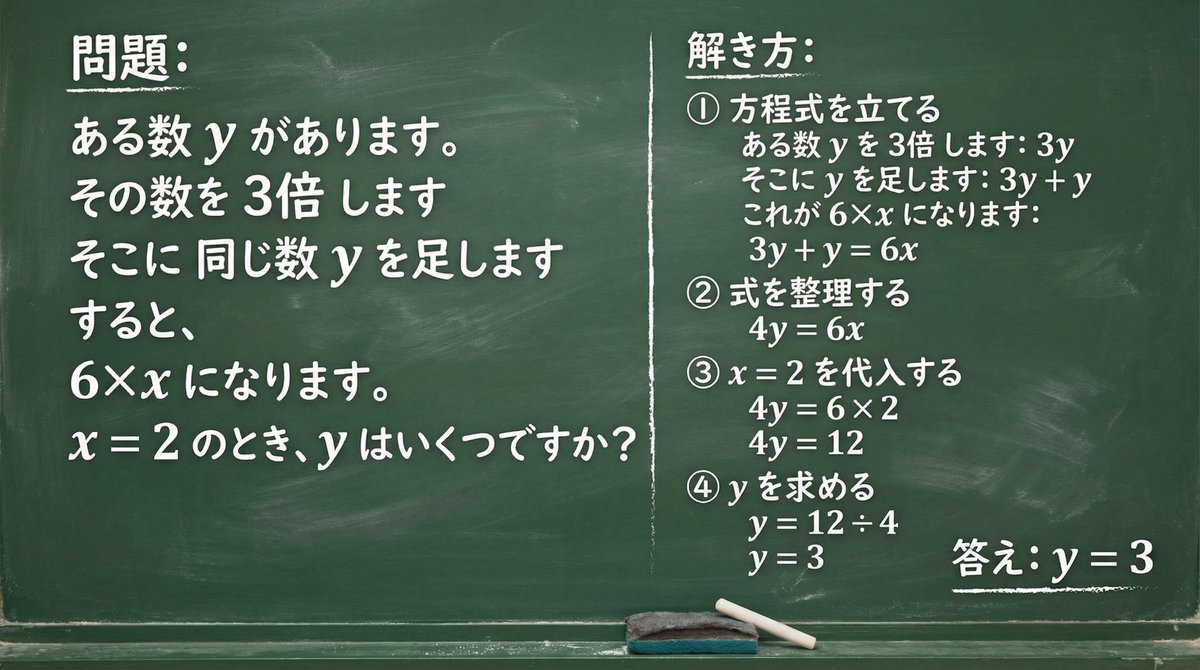
Chalkboard Math Problem Image Generation
Write the given question on a green board with chalk and solve it. There is a number y. Multiply that number by 3. Add the same number y to it. Then it becomes 6×x. When x = {argument name="value of x" default="2"}, what is y?
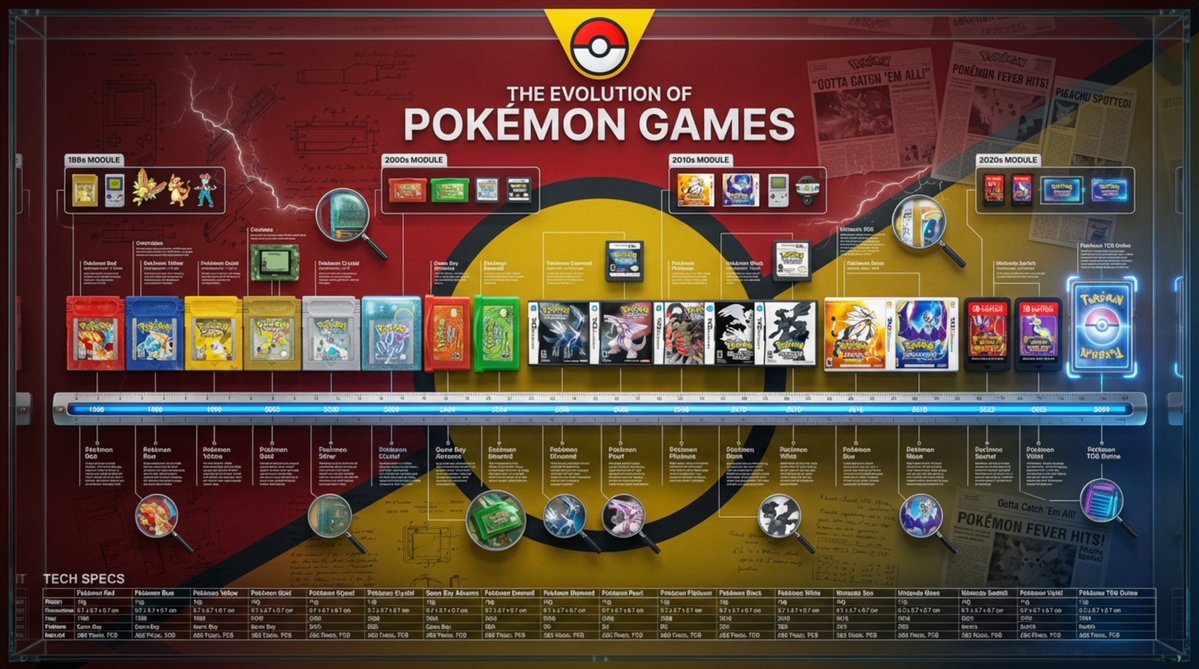
Encyclopedic 3D Infographic Evolution Chart
Role and Subject: A massive, encyclopedic 3D infographic poster with a 16:9 ratio. Title: “THE EVOLUTION OF {argument name="product name" default="[Product Name]"}”. The visual style is a high-end fusion of museum-quality product photography and complex technical blueprints. Core Lineup (Chronology): Arrange 8–12 historical versions of the {argument name="product name 2" default="[Product Name]"}, from the first prototype to the latest future model, completely and linearly. They are precisely positioned on a measuring scale/ruler base running horizontally across the center. Rendering: Ultra-realistic 3D, 8K resolution. Emphasize the evolution of texture: contrast the aging of the early {argument name="material atmosphere" default="[Material Atmosphere]"} with the clean, high-tech finish of the modern versions. Brand Atmosphere (Canvas): Background: A deep, rich [Brand Color] textured background. Overlaid with watermarks of low-opacity vintage patent drawings, handwritten engineering notes, and newspaper clippings related to the brand's history. Header: A prominent, high-contrast brand logo centered at the top, with the title displayed in bold typography. “Ultra-Dense” Information Layer (Punch Style): The layout is overwhelmed with systematized information (creating a “data aesthetic” look): High-Density Annotation Network: Hundreds of ultra-fine white hairlines connecting specific [Key Components] (e.g., curves, buttons, engines) to compact text blocks or data tables floating in space. Contextual Zones: “Era Modules” floating above the product. Representing different historical decades with iconographic markers. Magnified Inserts: Circular “zoom-in” lenses scattered in empty spaces. Showing extreme macro close-ups of texture details or internal mechanisms. Technical Specification Strip: A structured data bar placed at the bottom. Listing precise specifications (weight, dimensions, year, material code). Technical Specifications: Octane render, Unreal Engine 5 aesthetic, editorial layout, masterpiece of information design, volumetric lighting, sharp focus, professional color grading. --ar 16:9 --v 6.0 --stylize 300 (Reference style: The history of Coca-Cola's development)
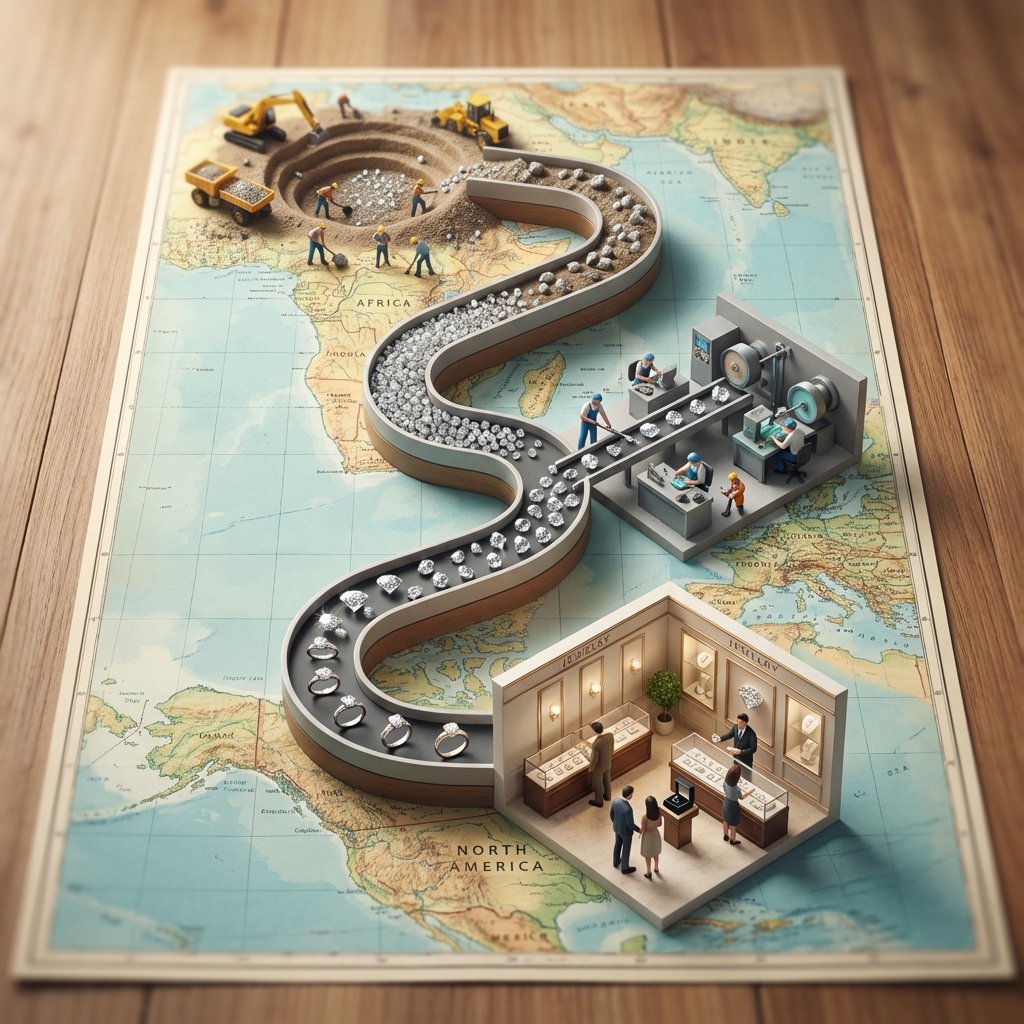
Seed to Shelf Diorama Flowchart Prompt
<instruction> 1. Analyze Input Variable: Input A is a Global Commodity with a distinct production lifecycle (e.g., Coffee, Chocolate/Cocoa, Wine, Denim/Cotton). Deconstruct the lifecycle into 3 Distinct Stages : Stage 1 (The Origin): The agricultural source (e.g., Coffee Plantation, Cacao Trees). Stage 2 (The Process): The industrial transformation (e.g., Roasting Plant, Fermentation Vats). Stage 3 (The Destination): The retail experience (e.g., A Hipster Cafe, A Chocolatier Shop). 2. Container (The Map Table): Goal: A "Seed to Shelf" Flowchart Diorama. The Base: A large, vintage World Map (blue oceans, pastel continents) laid flat on a wooden dining table. The Spine: A raised, winding S-Shaped Chute/Conveyor snakes through the center of the image, physically connecting the three stages. The Flow: The chute is filled with the product, which visually transforms as it moves down the path (e.g., Red Coffee Cherries at the top → → Brown Roasted Beans in the middle → → Fine Ground Powder at the bottom). 3. The Vignettes (The Stations): Construct a 3D diorama "Island" at each key point of the S-curve: Top Station (Origin): A square patch of terrain sitting on the map (e.g., South America). Detailed crops, trees, and farmers harvesting the raw material. Middle Station (Process): A compact industrial facility sitting on the map (e.g., Europe/USA). Metallic roasters, silos, smoke stacks, and factory workers. Bottom Station (Destination): An architectural Cutaway Box. The front wall is removed to reveal the interior of a shop (e.g., Espresso machines, tiny customers sitting at tables, baristas serving). 4. The Narrative Scale (The Workers): Scale: 1:87 (HO Scale) miniature figures. Action: The figures are not just standing; they are actively moving the product from the "Station" into the "Chute" (e.g., Farmers dumping baskets of cherries into the stream, Factory workers shoveling beans). 5. Lighting & Atmosphere: Camera Angle: High-Angle Perspective (45-60 degrees). Looking down the length of the table. Lighting: Natural Daylight. Bright, cheerful, and even. Shadows fall softly on the map. Depth of Field: Tilt-Shift effect. The top and bottom edges of the table are slightly blurred to make the models look tiny. Output: ONE image, Vertical Aspect Ratio (4:5), Miniature Photography, Educational Diorama aesthetic. </instruction>
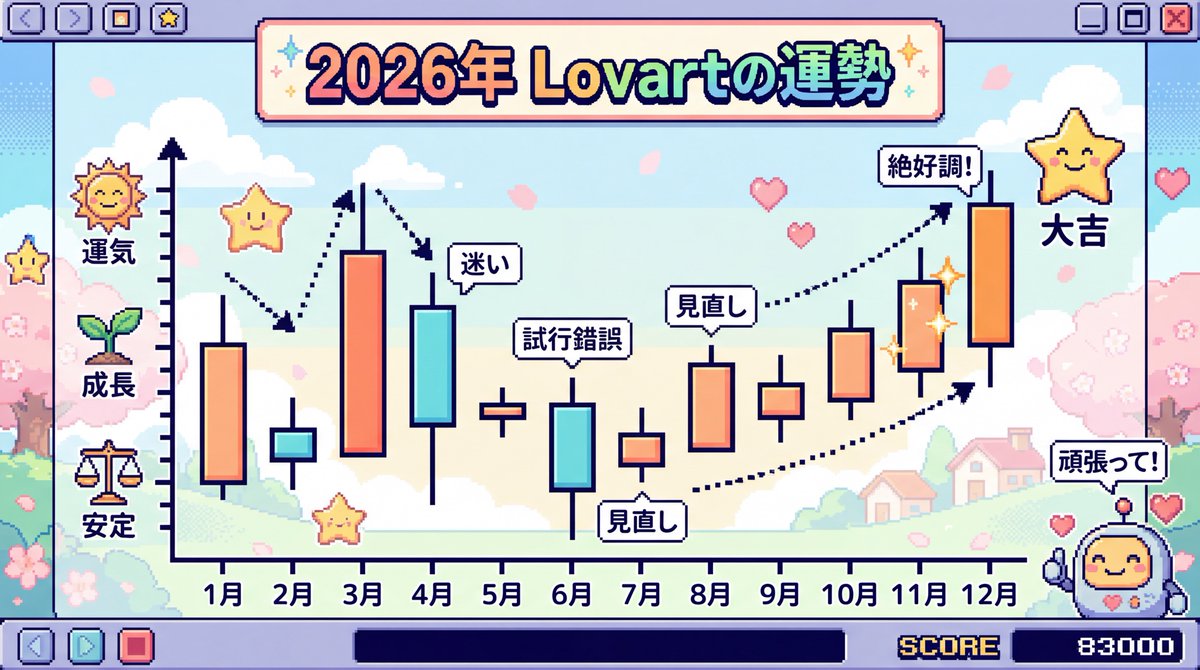
2026 Fortune Telling Prompt (Super Famicom Style)
Make the entire background Super Famicom pixel art, and the theme is “The Fortune of {argument name="theme" default="Lovart"} in 2026” visualized as a candlestick chart with the horizontal axis representing January to December. Thoroughly elaborate the details in Japanese. Express it brightly and cutely.
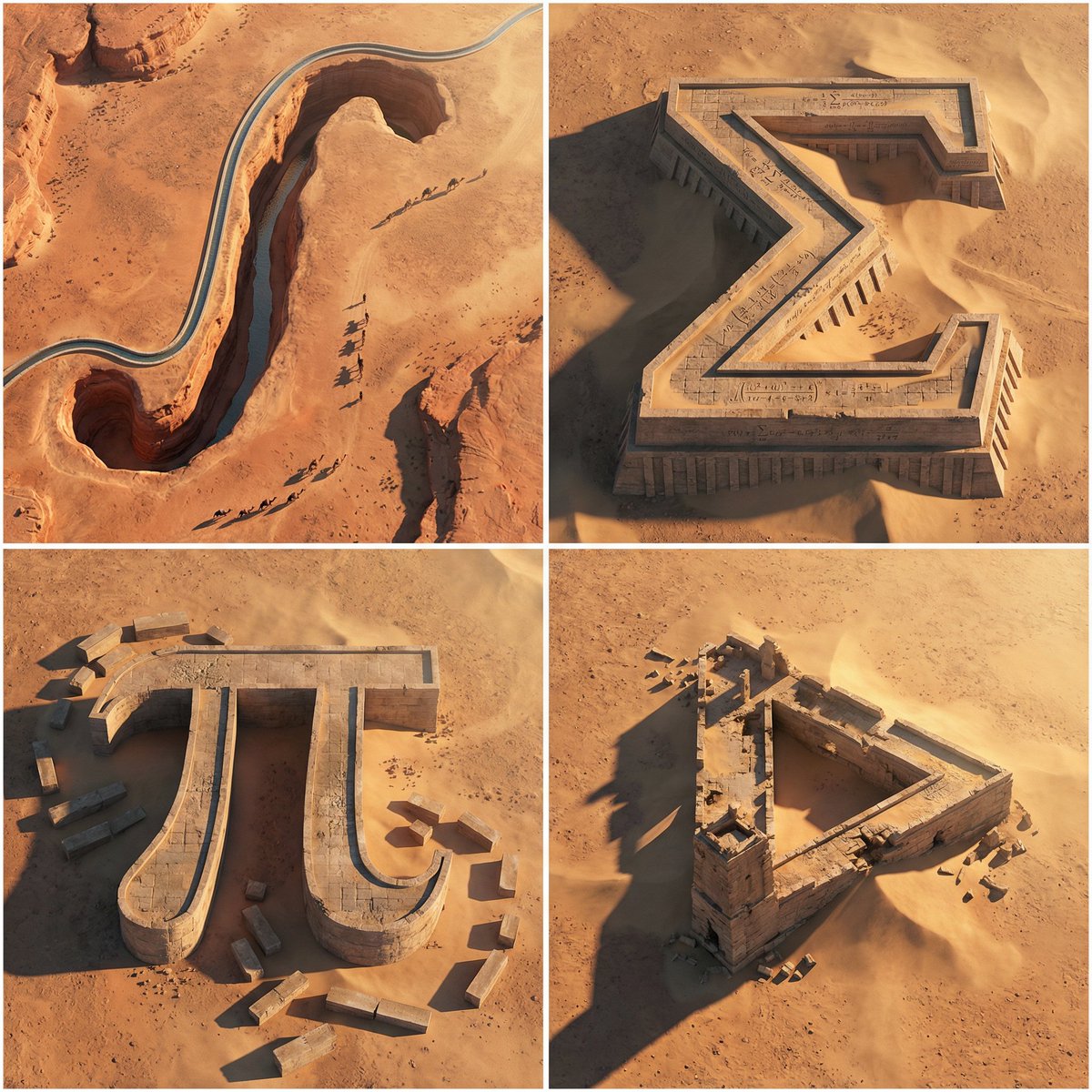
Monumental Mathematical Symbols as Terrain Typography
A 2x2 grid of 4 monumental mathematical symbols carved as colossal terrain typography in an arid landscape [Top Left: “∫” as a canyon-cut arch in sandstone, a thin aqueduct stream following the curve, tiny caravans casting long shadows] [Top Right: “Σ” as a stepped fortress carved into a mesa, sharp terraces, windblown sand pooling in corners, micro equations chiseled in] [Bottom Left: “π” as massive stone pylons connected by a lintel bridge, ruined blocks scattered like proof fragments] [Bottom Right: Penrose Triangle as impossible ruins half-buried, forced perspective illusion, harsh sunlight slicing edges] Aerial oblique shot, golden hour desert light, crisp dramatic shadows, photoreal erosion detail, minimal haze, swiss 2x2 grid composition.
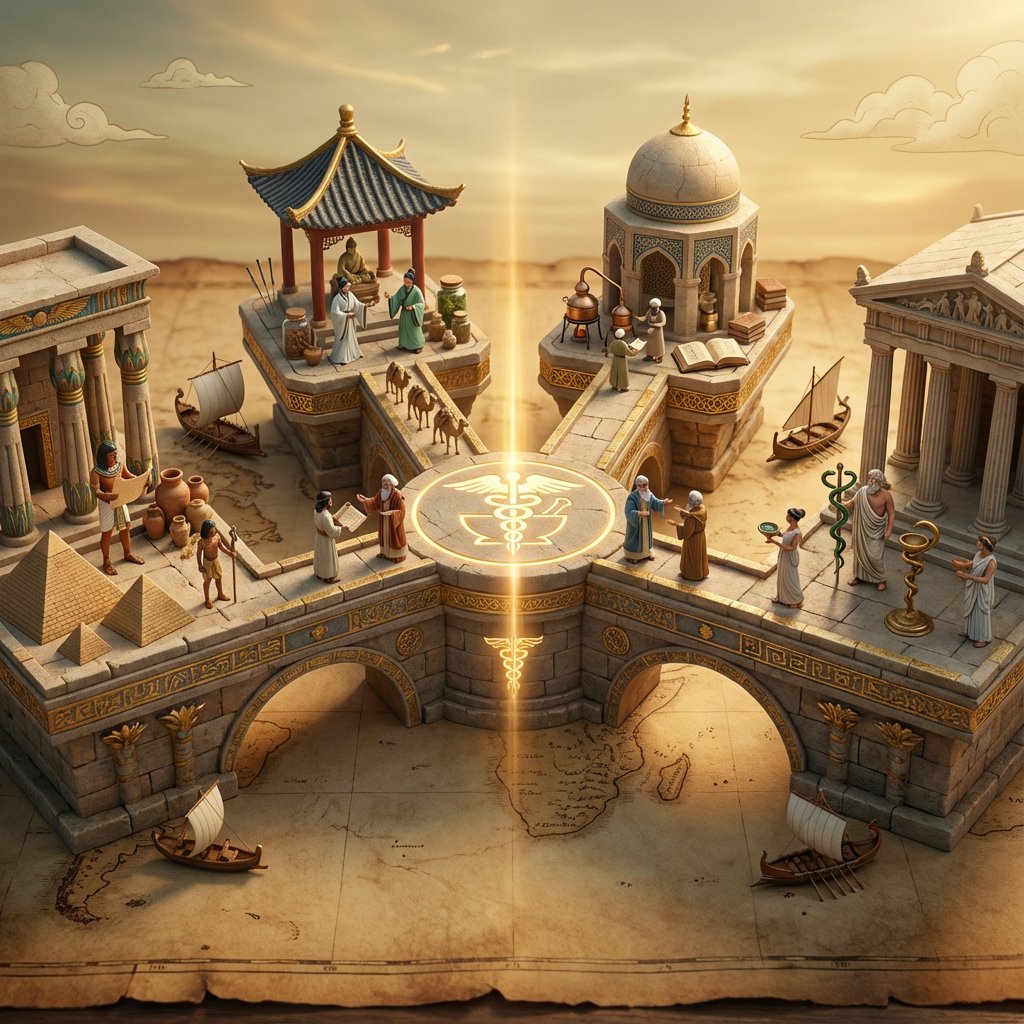
Ancient Civilizations Innovation Bridge Image Generation Prompt
Input A is an invention or technology Analyze: how this innovation appeared independently or was transmitted across ancient civilizations (Egyptian, Chinese, Islamic, Mayan, Greek, etc.). Goal: Miniature bridge structure connecting 3-5 civilization "islands." Rules: * Base: ancient world map (aged parchment) as foundation * Bridge structure: ornate multi-level walkway with different architectural styles for each section (columns, arches, pagoda elements) * Each "island" platform: distinct civilization's version of {argument name="invention" default="Input A invention"} (Chinese compass vs Viking sunstone, Mayan zero vs Indian zero, etc.) * Civilization figurines: tiny scholars/inventors from each culture examining each other's versions * Include: trade route markers, tiny ships/caravans between islands, scrolls being passed * Center of bridge: the "universal truth" they all discovered (mathematical formula, physical principle) etched in neutral symbol * Materials: stone textures, gold leaf accents, cultural pattern details * Lighting: mystical golden hour with light ray connecting all islands Output: 1 x image, 16:9 landscape for maximum bridge span visibility, mythological epic photography
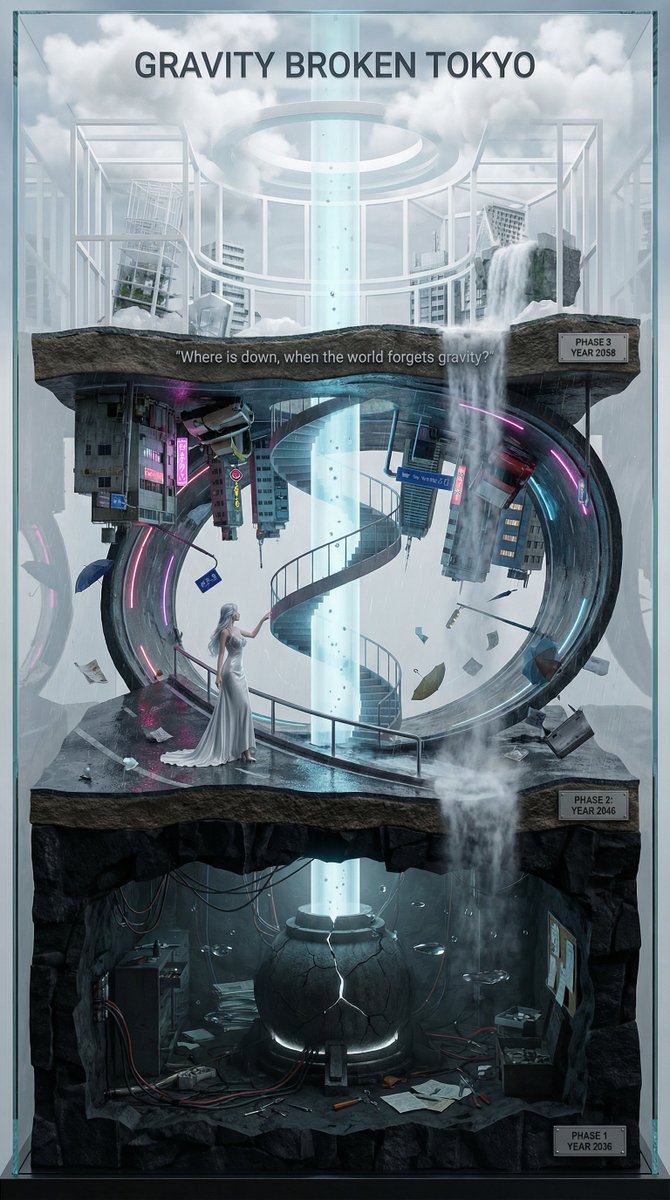
Vertical Layered Diorama Concept Art Prompt for Sci-Fi Film
You are an **architect and concept artist who visualizes story structures**. Analyze the provided input text (the movie synopsis) and generate a **"Vertical Layered Diorama"** where the height direction represents the timeline. The character in the attached reference image should be placed in the "Present (Middle Layer)" or "Future (Top Layer)" of this vertical structure, acting as the **storyteller/time traveler**, and posed to **look down on the past / look up at the future**. --- ## ▼ Instructions for Generation Process (Nano Banana Pro: Thinking Mode) 1. **[Step 1: Timeline Mapping]**: Decompose the synopsis into three time phases and assign them to physical layers. * **Bottom Layer (Past/Origin)**: Cause of gravity collapse, sealing, deep underground. Dark and heavy tone. * **Middle Layer (Present/Conflict)**: Survival and conflict in gravity-broken Tokyo. Vivid and dynamic tone. * **Top Layer (Future/Conclusion)**: Birth of a new gravity order, hope or ruin. Open and symbolic tone. 2. **[Step 2: Connection Design]**: Design the layers so they are not disconnected, but physically connected by elements such as **Gravity Well pillars / inverted spiral staircases / magnetic elevators / waterfalls where falling turns into rising**. 3. **[Step 3: Text Integration]**: Place the movie title in a stable location at the very top or bottom, and engrave famous lines on the **layer boundaries**. --- ## ▼ Design and Style Specification * **Composition/Layout**: **Vertical Cross-section / Tower structure**. Aspect ratio is vertical (**9:16**). Viewpoint is **slightly above the front**, at an angle that shows the thickness and depth of the layers. * **Taste**: **Precise museum model, geological cross-section, surreal architecture**. Express different eras and materials in each layer (concrete → neon metal → white structure on clouds) while integrating them as one giant object. * **Texture/Image Quality**: Photorealistic, precise detail, **8k**. Raindrops, wet asphalt, reflections, fog, volumetric light. * **Gravity Expression (Important)**: * Tokyo roads **curve 90 degrees as a continuous surface**, where the ground becomes a wall, and then arches to the ceiling, connecting in a **loop**. * Buildings, signs, cars, and pipes **protrude vertically** from the curved surface, and landmarks exist **upside down** suspended in the air. * Depict as a **physically continuous urban structure**, not just a reflection. * Light sources match the reality of a rainy night (reflections of neon and streetlights, diffused light through clouds). --- ## ▼ Input Text (Fictional Movie) **Title**: **{argument name="Movie Title" default="GRAVITY BROKEN TOKYO (Gravity Fault City Tokyo)"}** **Genre**: Sci-Fi Thriller / Disaster / Human Drama **Synopsis**: One night, due to the fracture of the "Gravity Lattice" above Tokyo, the city's gravity lost its uniformity. Roads bend into the sky, buildings lose their up and down, and falling chooses a direction. People survive by redefining "where the ground is." The narrator (reference character) dives across time to the origin of the gravity collapse, struggles in the current city, and reaches the new order of the future. ### [Bottom Layer / Past and Origin] (PHASE 1: YEAR 2036) * **Setting**: Deep underground research complex. Black basalt-like strata, old wiring, gravity control reactor "Atlas Core." * **Description**: Suggests that the device meant to "fix" gravity instead triggered the "tearing" of gravity. Tools and paper documents are scattered on the floor, and water droplets float horizontally due to gravity disturbances. * **Tone**: Dark, oppressive. Warning lights, fine dust, the stillness of low gravity. ### [Middle Layer / Present and Conflict] (PHASE 2: YEAR 2046) * **Setting**: The center of gravity-broken Tokyo, where rain continues to fall. A continuous city where **wet asphalt curves 90 degrees, becoming a wall, and continuing to the ceiling**. * **Description (Reflecting Gravity Prompt)**: * Roads rise vertically and then arch overhead to loop. * Landmarks are suspended upside down, and road signs protrude into the air. * Neon lights bleed along the curved surfaces in the fog and light rain, and reflections establish the light of a real rainy night. * **Character Placement**: Place the reference character in the **"Present" of the Middle Layer**. Grasping a railing or pipe with one hand, pointing to the light of the upper layer with the other. Gaze **looking down on the past (bottom layer) while looking up at the future (top layer)**. * **Tone**: Dynamic, tense. People's evacuation routes continue along the "wall roads." ### [Top Layer / Future and Conclusion] (PHASE 3: YEAR 2058) * **Setting**: The "Stable Gravity Layer" above the clouds. City remnants are rearranged, forming a new residential area composed of white frame structures and transparent materials. * **Description**: Ambiguous whether the gravity lattice was "repaired" or if a "new direction" was accepted. A pale column of light from the gravity well extends into the sky, connecting to the darkness below. * **Tone**: Open and symbolic. Hope and unease coexist. --- ## ▼ Connection Points (Gimmicks connecting the layers: Required) * **Gravity Well Light Column**: A column of pale blue volumetric light penetrating from the core of the bottom layer to the top layer. Particles flow upward. * **Inverted Spiral Staircase**: "Up" and "down" switch midway. Small year plates on the staircase railing. * **Waterfall where Falling Turns into Rising**: The water flow reverses at the boundary, emphasizing the layer separation. --- ## ▼ Visual Elements (Motifs to emphasize) * Wet asphalt, trajectory of raindrops, neon reflections, fog, volumetric light. * Curved City: Roads, architecture, and signs bend as a **continuous surface**, forming a **physical loop**. * Small objects floating in the air (umbrellas, paper scraps, tools, petals) visualize the disturbance in the direction of gravity. * Material changes in each layer: Rough rock stratum underground → Wet concrete and metal in the present → White structure and transparent material in the future. --- ## ▼ Text Instructions (On-screen Typography) * **Title**: "**{argument name="Title" default="GRAVITY BROKEN TOKYO"}**" * Placement: **Sky of the Top Layer**, or engraved on the pedestal of the bottom layer. * Font: Inorganic sans-serif, movie poster style. * **Famous Line** (Engrave on layer boundaries): * `{argument name="Famous Line" default=""Where is down, when the world forgets gravity?""}` * Placement: **Boundary between Middle and Top Layers**, like a sculpture on the landing of the inverted staircase or the edge of the light column. * **Timeline Display (Optional)**: Small next to each layer * `PHASE 1 / YEAR 2036` * `PHASE 2 / YEAR 2046` * `PHAS
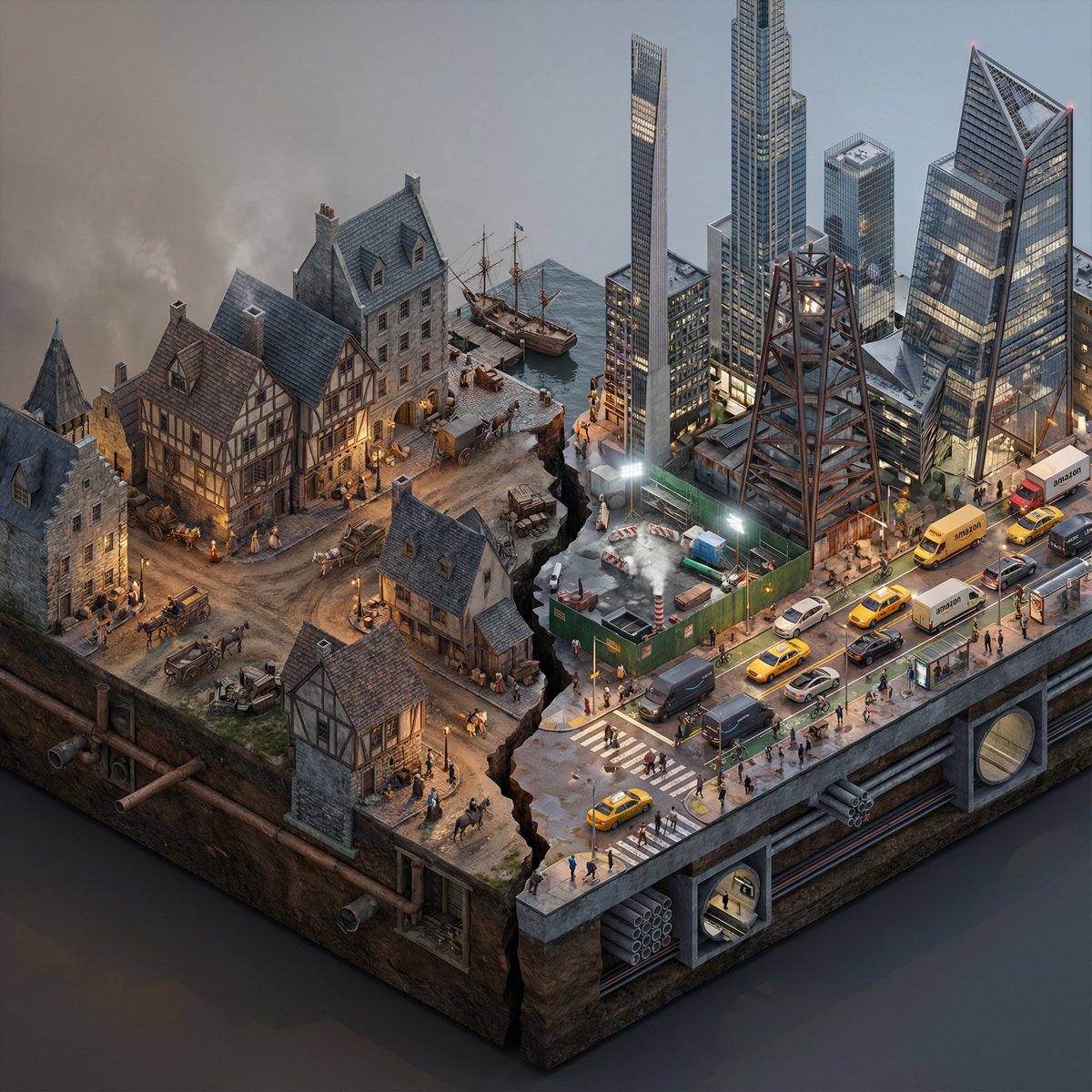
Split-Era Urban Diorama Generation Prompt for Nano Banana Pro
Do this for {argument name="City/Year A vs. City/Year B" default="New York 1700 vs New York 2025"} <instructions> Input Variable: [City/Year A vs. City/Year B] (e.g., New York 1900 vs. New York 2025) System Instruction: Generate a photorealistic, isometric macro render of a split-era urban diorama. The goal is Historical and Municipal Accuracy, avoiding sci-fi tropes or idealization. 1. Temporal Forensic Analysis: Analyze the Dates: Strictly adhere to the architectural technologies available in Year A versus Year B. The Left Block (The Past): Construct the Left side using the dominant vernacular of the era. For 1900: Beaux-Arts stone, brick tenements, water towers, external fire escapes, and cobblestone/early asphalt. The Right Block (The Present/Future): Construct the Right side using current urban realities, not futuristic fantasies. For 2025: Prioritize "Super-Slender" Pencil Towers (Billionaire's Row style), Glass Curtain Walls mixed with preserved older facades, and "Hudson Yards" style angled steel. Crucial Detail: If the year is modern (2020+), you MUST include Urban Clutter: Green construction plywood barriers, sidewalk scaffolding (sheds), steam vents, and delivery trucks. 2. The Container (The Cross-Section): The Base: Two suspended chunks of city infrastructure, revealing the "Underground" layer on the side profile. Left Underground: Brick sewers and early subway tunnels. Right Underground: Concrete conduit banks, fiber optic lines, and modern subway tiles. The Divider: A jagged timeline fracture. No glowing sci-fi energy. The divide is a stark cut in the asphalt. 3. The Composition (The Density): Left Street Life: Period-accurate transport (Horse-drawn carriages mixed with early Model T Fords or Trolleys). Pedestrians in dark coats/hats. Right Street Life: Municipal Realism. Yellow Taxis, Amazon delivery vans, Uber cars, and bike lanes with cyclists. The street level should feel congested and chaotic. Vegetation: Left has Elm trees (if applicable); Right has manicured "Corporate Plaza" planters and rooftop gardens. 4. Accurate Lighting Simulation (No "Neon Filters"): Left Lighting: Carbon-Arc and Gaslight. The light should be dim, patchy, and warm (2400K), casting long shadows. Right Lighting: Mixed Municipal Lighting. A chaotic mix of warm sodium streetlights (orange), harsh white LED construction lights (6000K), and internal office lighting (neutral). Do not use "Cyberpunk Blue" or "Purple" unless it is a specific billboard. Atmosphere: The Left is hazy from coal smoke. The Right has a clearer, sharper air quality but with light pollution. 5. Visual Syntax: Camera: Isometric Orthographic projection, 45-degree angle. Render Style: Photorealistic Architectural Visualization (ArchViz), 8k, V-Ray Render. Focus on texture fidelity (rust, wet pavement, grime) rather than bloom effects. Output: 1:1 Aspect Ratio, Extreme Detail, Historically Authentic.
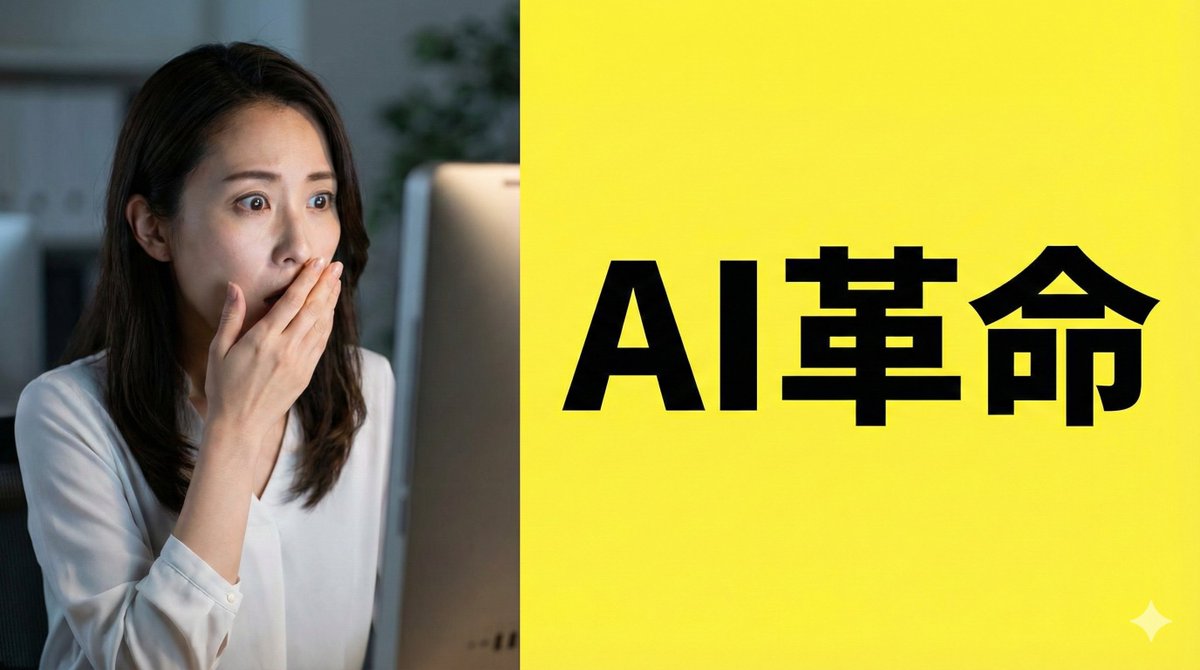
Nano Banana Pro Composition Techniques Prompts (3 Examples)
[Role] You are a professional graphic designer. Create a YouTube thumbnail. [Composition Instructions] - Split-screen composition, dividing the screen into left and right halves. - Left side: A Japanese woman with a surprised expression (photorealistic style). Background is a dark office. - Right side: A vibrant yellow background. Place the text “{argument name="text" default="AI Revolution"}” in bold Gothic font in the center. - Ensure sufficient negative space around the text to maximize visibility. [Style] A scene from an animated movie, cyberpunk [Camera and Composition Settings] - Lens: Use a wide-angle lens (24mm equivalent) to emphasize perspective. - Angle: Extreme low angle (worm's-eye view). The character is viewed looking up from just above the ground. - Placement: Place the character's left hand directly in front of the camera to exaggerate the sense of distance. - Background: High-rise buildings sharply converge toward a vanishing point. [Role] You are a manual creator. Create {argument name="subject" default="how to make Okonomiyaki"}. [Format] Flat design infographic, 16:9 [Layout Instructions] - A “3-step” process diagram flowing from left to right. - Step 1 (Left): Magnifying glass icon (Investigation). - Step 2 (Center): Gear icon (Processing). - Step 3 (Right): Light bulb icon (Solution). - Connect each element with arrows and align them at equal intervals. - Background is white, icons are unified in blue and orange key colors.
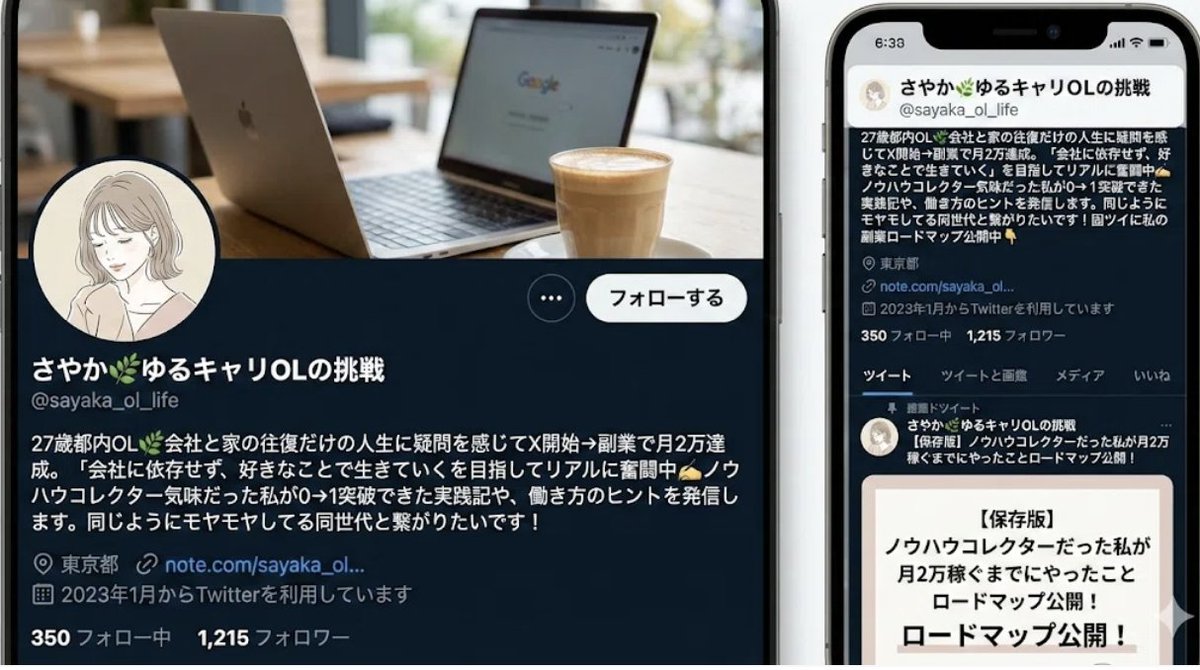
Nano-banana Pro Persona Generation Prompt
You are a professional persona designer. Based on the following information, please design a detailed persona. **Target Audience:** {argument name="target audience" default="Women in their 30s, living in the city center, working at an IT company"} **Objective:** {argument name="objective" default="Developing a marketing strategy for a new beauty serum"} **Elements to include in the persona:** 1. Basic information (Name, Age, Occupation, Residence, Family structure) 2. Personality and Values 3. Lifestyle (Daily routine, Hobbies, Information sources) 4. Challenges and Needs (Beauty concerns, Desired solutions) 5. Goals and Motivation 6. Purchasing behavior (Points of emphasis, Budget range, Purchase channels) 7. Touchpoints with the service/product (Usage scenarios, Expected effects) **Output format:** - Use appropriate headings for an easily readable structure. - Include specific descriptions that could be used for a persona image.
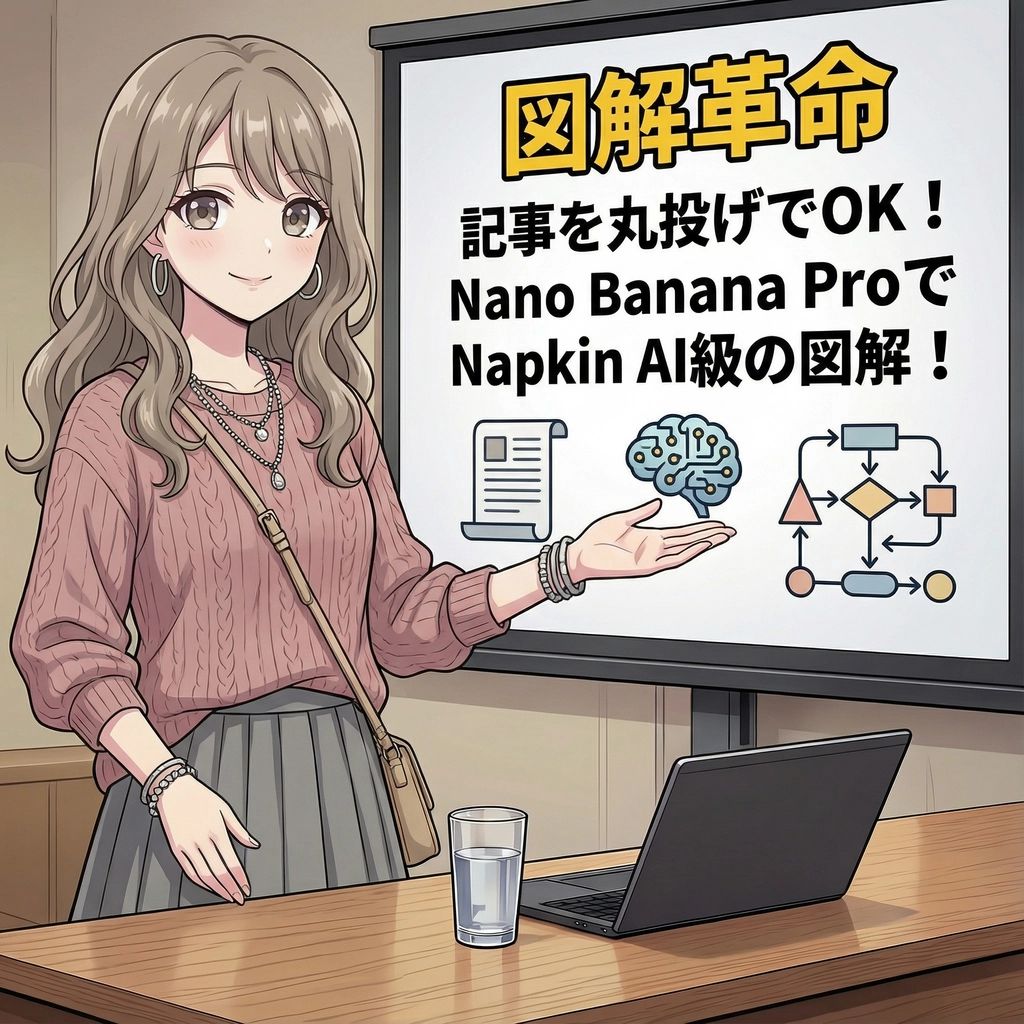
Magic Prompt for Automatic Infographic Generation with Nano Banana Pro
You are an expert in infographics. Read the article or report provided by the user and automatically generate a visually clear and attractive infographic that summarizes its content. Specifically, please create it considering the following elements: ### Objective To visualize the main message, key data, process, or structure of the article or report so that it can be understood at a glance. ### Style and Tone * **Style**: A hand-drawn or minimal and sophisticated diagram style, similar to Napkin AI. * **Tone**: Professional yet approachable and visually appealing. ### Components 1. **Title**: An attractive title that concisely represents the article's theme. 2. **Key Points**: 3 to 5 of the most important points extracted from the entire article. 3. **Diagrams**: Graphs, flowcharts, icons, or conceptual diagrams to represent the key points or processes. 4. **Data**: If there are specific numbers or statistical data in the article, display them in an emphasized manner. 5. **Conclusion/Action**: A summary of the article or the next action expected from the reader. ### Output Format Based on the content of the provided article, output the overall image of the infographic, integrating the above components, as detailed instructions. Describe the diagram ideas, layout suggestions, and the image of the colors and fonts to be used specifically. ### Article/Report {argument name="Content of the Article or Report" default="[Paste the full text of the article or report here]"}
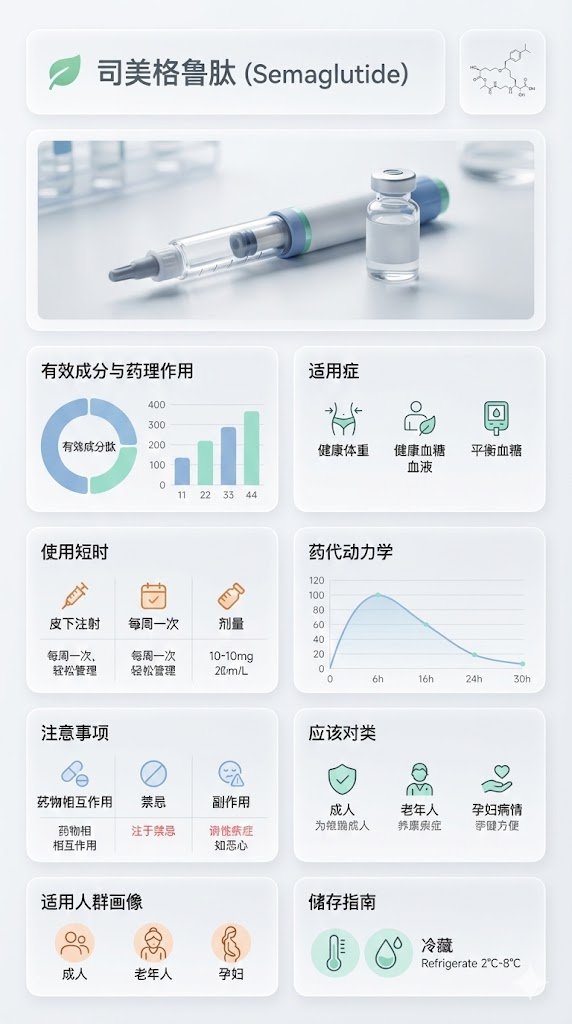
Medical Infographic Poster for Drug Information (Bento Grid Style)
{ "image_analysis": { "subject": "{argument name="drug name" default="Semaglutide"} Science Infographic, 9:16", "style": "Modular Bento Grid Design / Minimalist Medical UI Design / Approachable Feel", "tone": "Professional, Clinical, Rigorous, Scientific, Trustworthy, Humanized, Easy-to-read", "primary_colors": ["Clinical White", "Medical Blue", "Slate Grey", "Mint Green"] }, "prompt_elements": { "subject_description": "A high-quality science infographic poster about [Drug Name], designed to combine professional rigor with humanized care.", "layout": "Bento box style modular grid layout, clean medical UI/UX interface design, divided into clear rectangular cards with soft edges, providing a comfortable visual experience.", "visual_details": [ "Top header with a striking modern sans-serif font title 'Drug Chinese Name' and its chemical/generic name. A gentle medical icon (like a heart or green leaf) can be added next to the title.", "Center top features a hyper-realistic macro photograph of the [Drug Dosage Form/Packaging] (e.g., tablet, capsule, or vial), with soft lighting, appearing safe and reliable.", "In the corner, a minimalist line drawing of the [Chemical Structure], with smooth lines, not overly obtrusive.", "Part 1: Analysis of active ingredients and pharmacological action with ring charts and bar charts, data visualization using gentle medical blue and mint green colors, charts designed to be simple and intuitive.", "Part 2: Indications with minimalist line icons, icons designed to be friendly, avoiding overly clinical or cold symbols.", "Part 3: Dosage and administration matrix with minimalist line icons ([Oral/Injection], [Frequency], [Dose]), simple text descriptions can be added next to the icons, such as 'One tablet daily, easy to take'.", "Part 4: Pharmacokinetics or onset time axis with linear charts, smooth lines, clearly marked time points, instilling confidence based on scientific evidence.", "Part 5: Precautions grid with simple warning icons ([Drug Interactions], [Contraindications], [Side Effects]), icons should gently remind rather than cause panic, text descriptions should be concise and highlight key points.", "Part 6: Applicable population profile icons (e.g., suitability markers for elderly, children, pregnant women), icons designed to be warm, reflecting care for different groups.", "Part 7: Drug storage guidelines with thermometer and humidity icons, icons designed to be simple and clear, text descriptions easy to understand." ], "art_style": "Minimalist scientific visualization design, combining detailed medical illustrations with product photography, flat medical icons, Swiss style typography, focusing on readability and approachability.", "lighting": "Bright laboratory shadowless lighting, clean and transparent, emphasizing sterility and clarity, while the light is soft and not harsh.", "color_palette": "Monochromatic clinical white or light gray background, translucent frosted glass cards, dark gray and navy blue text, accented with medical blue or cyan to highlight key points, the overall color scheme gives a fresh, comfortable feeling." }, "negative_prompt": "Clutter, warm tones (except for gentle accents), retro style, handwriting, low resolution, blur, distorted text, noise, dark background, unsanitary, oversaturated, watermark, food texture, overly cold clinical feel, panic-inducing warning icons" }
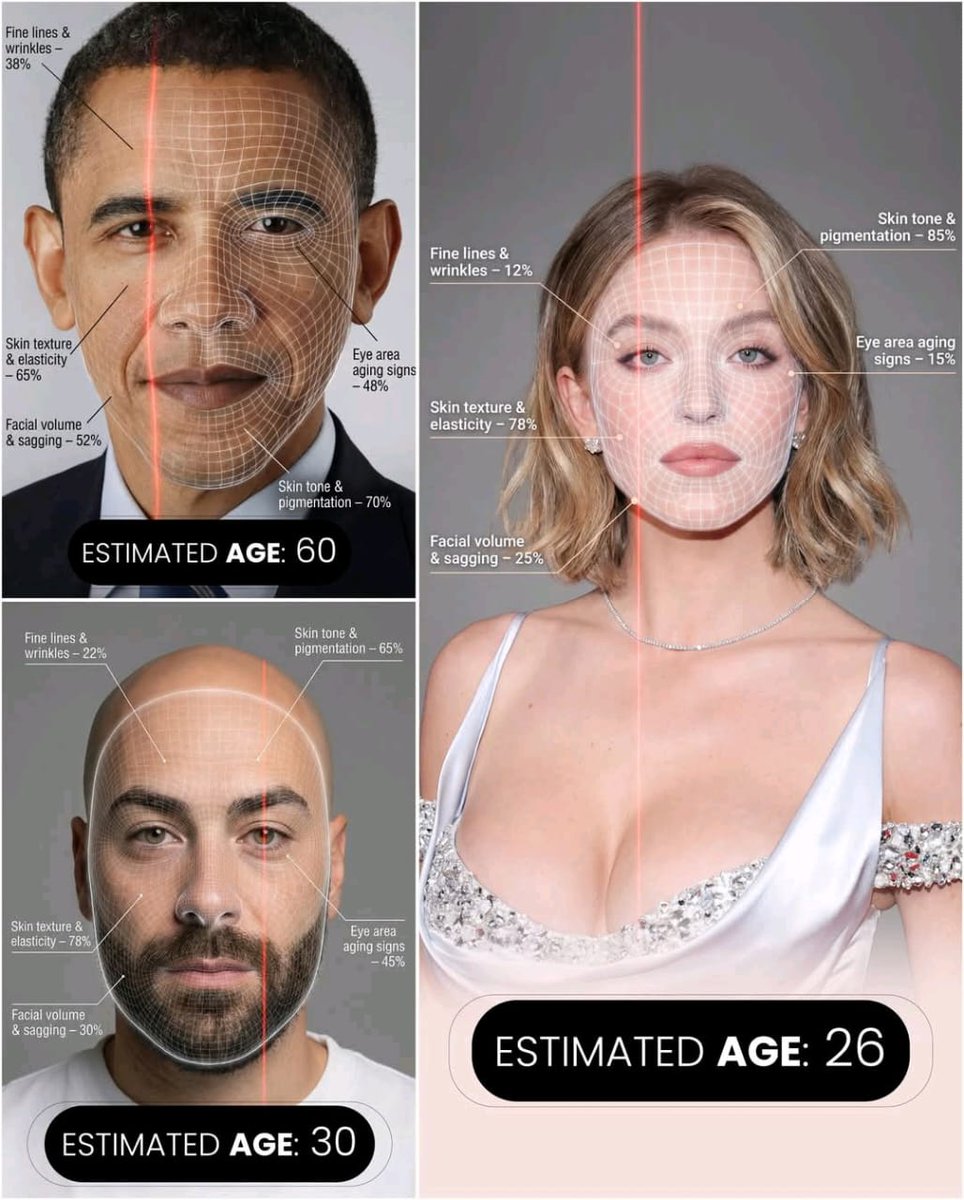
Futuristic AI Age Checker Infographic Portrait
A hyper-realistic, high-resolution portrait infographic based on (your photo). Keep the same person, identity, hairstyle, clothing and natural skin tone from (your photo), with a neutral studio background.Overlay a subtle, semi-transparent facial analysis grid on the entire face, very similar to a 3D face-scanning mesh: thin, soft white lines following the facial contours, slightly glowing but not hiding the skin details. Add one clean vertical red laser line running down one side of the face, like a futuristic scan. All analysis lines must be soft, minimal and elegant, exactly like a cosmetic-tech advertisement.Create a clean medical–aesthetic infographic that evaluates 5 aging factors using global data percentages:1. Fine lines and wrinkles2. Skin texture and elasticity3. Facial volume and sagging4. Eye area aging signs5. Skin tone and pigmentationFor each factor, place a small label with a thin line pointing to the relevant facial area, and next to it write a short title and a realistic percentage score from 0–100% (based on global data), for example:“Fine lines & wrinkles – 18%”“Skin texture & elasticity – 72%”“Facial volume & sagging – 35%”“Eye area aging signs – 41%”“Skin tone & pigmentation – 63%”Use clean, modern, sans-serif typography and small technical-style text, like a scientific facial analysis UI. At the bottom of the image, in the center, write a large bold text showing the final estimated real age based on the analysis, for example:“ESTIMATED AGE: {argument name="estimated age" default="(random number based on face analysis )"}”Overall style: futuristic AI-guided skincare analysis, minimalistic, premium editorial lighting, no gender mentioned, suitable for any human face.
Some prompts are collected from creators on X. Copyright belongs to the original authors.